Usually these items are posted to the website as a PDF / PDFs but they can be posted as other file types as well; such as, .xls, .ppt, and .doc files.
1. Click “Add Bulletin” Button
Starting at the Control Panel, click the Add Bulletin or Add Document button.
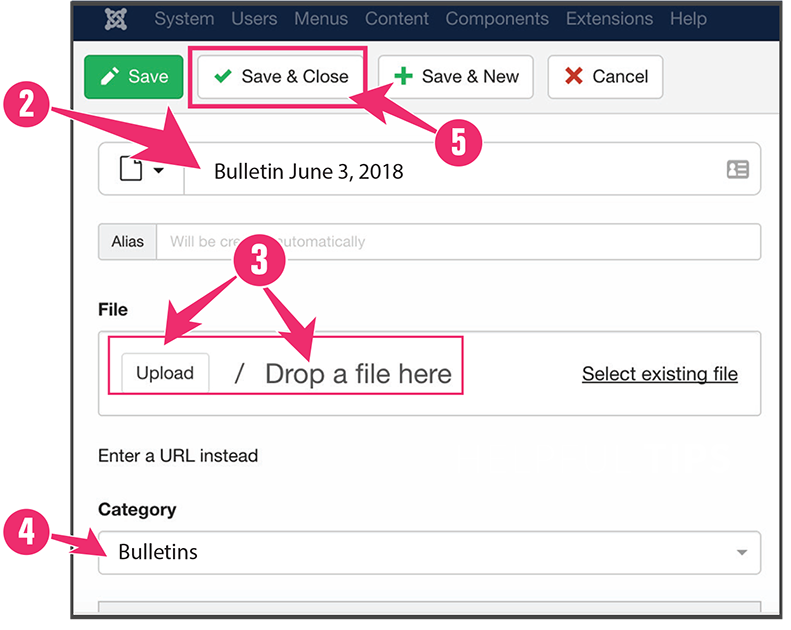
2. Title
Add document title to the “Title” field
3. Click “Upload”
Choose a file from your computer.
4. Select Category
Bulletin is usually selected by default. If not, switch to 'Bulletin'.
5. Click Save & Close