


The Article Manager is one of the main areas used. The Article Manager gives the Editor the ability to create, edit and publish items to be displayed on the front-end of the website.
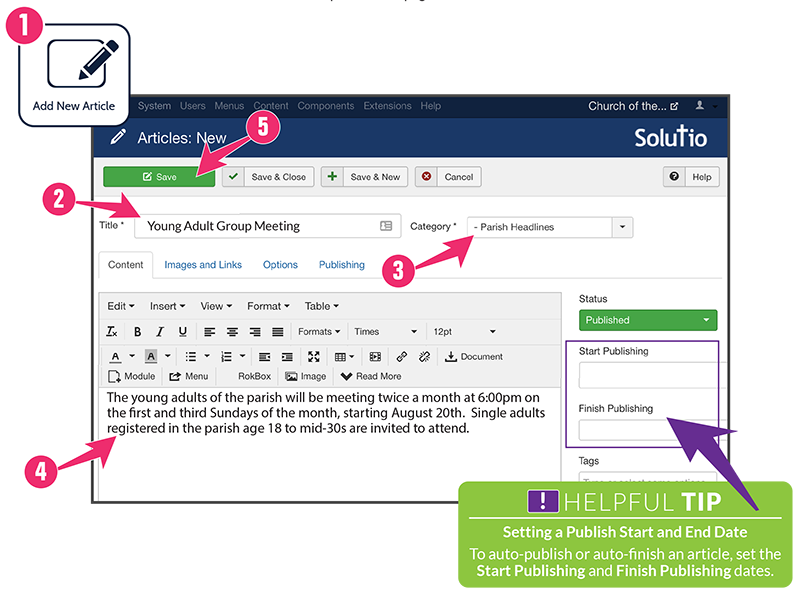
1. Add New Article
Starting at the Control Panel, click on the Add New Article button.
2. Title
This is the headline for your article.
3. Category
Determines where the article will appear on the website.
4. Body
Main body of the text for your article.
5. Save
Click the Save button on the top-left of the page.