


By default, our system will usually order items on newest item at the top and the oldest at the bottom. Sometimes the order needs to change.
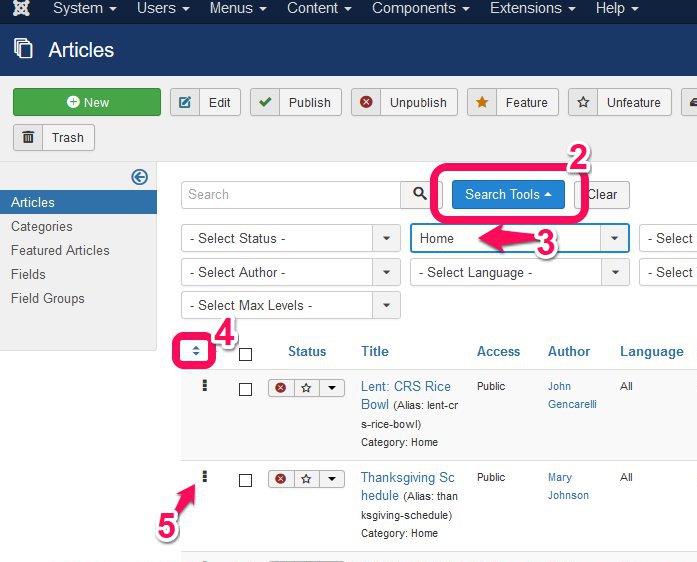 1. Open the Article Manager
2. Click Search Tools
3. Select specific category of articles
4. Click up/down triangles - the first column heading to sort by order.
5. Click and drag an article by its three squares on the far left for change the order. The order is automatically saved.