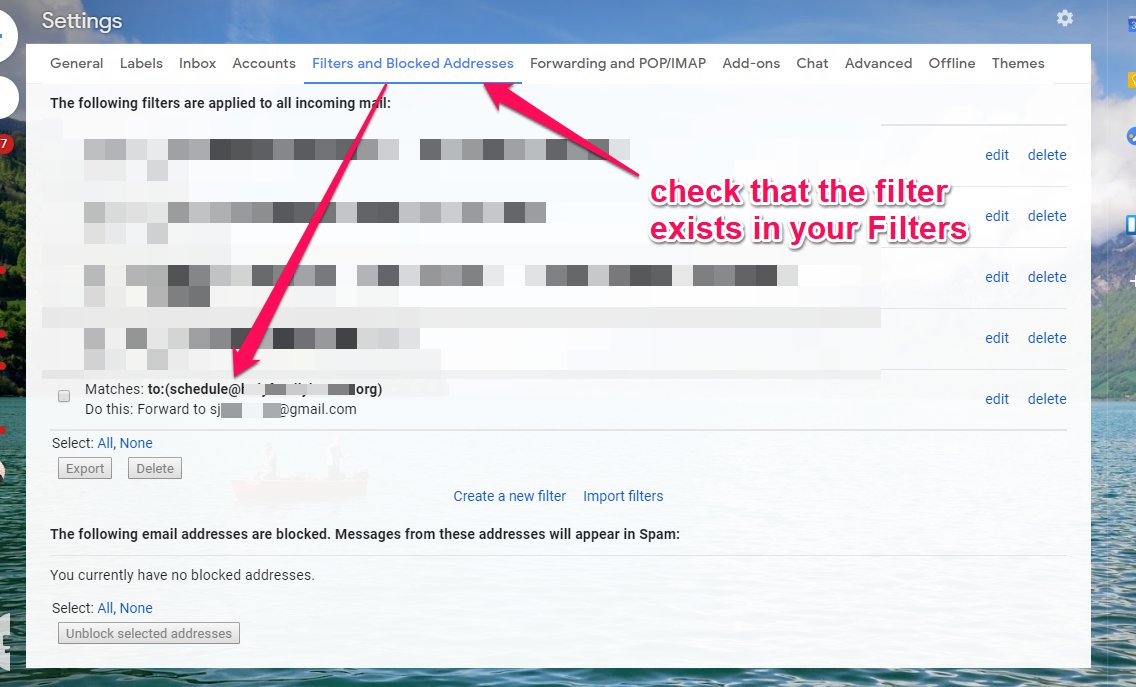
1. Set up a Forwarding Email Address
2. Return to Settings > Forwarding and POP/IMAP
3. Select 'creating a filter!'
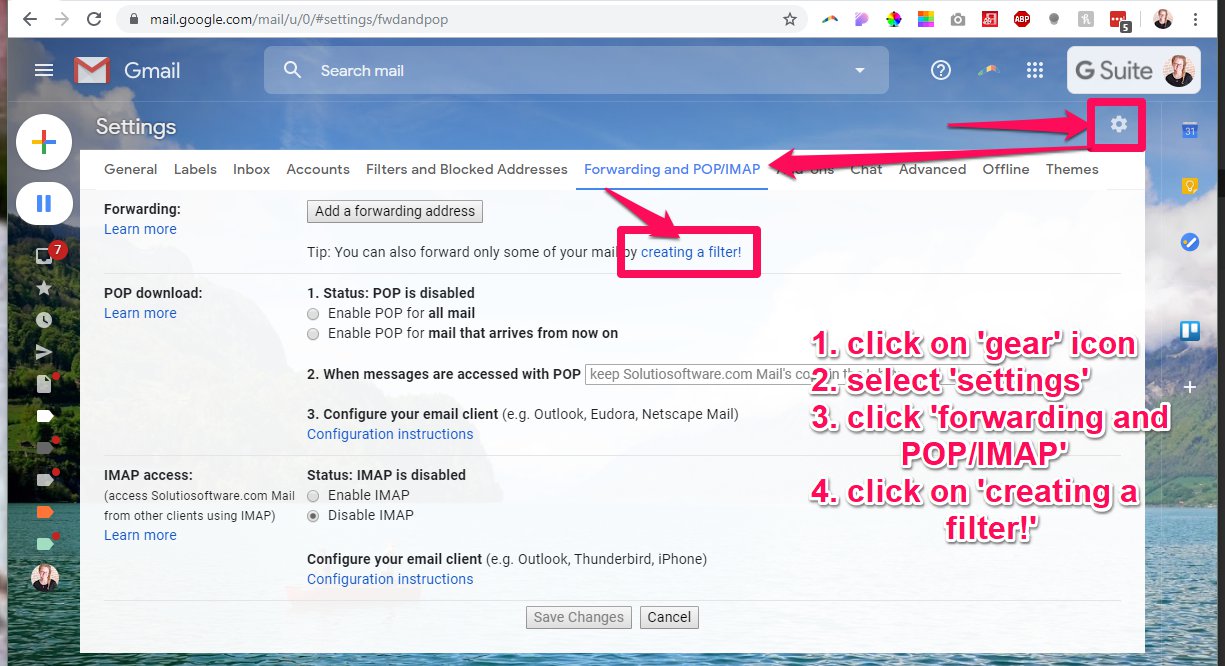
4. Add the necessary information (in this example, emails sent to a certain address/alias of account).
5. Click 'Create filter':
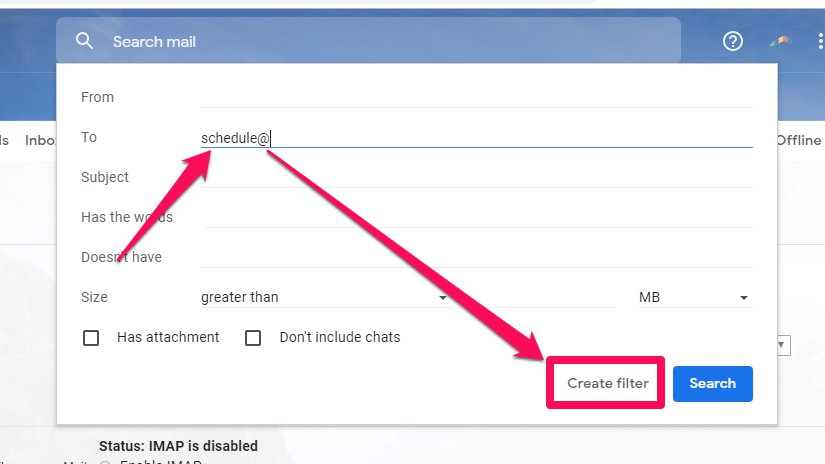
6. Select 'Forward it to: ' then choose an address.
7. Click 'Create Filter':
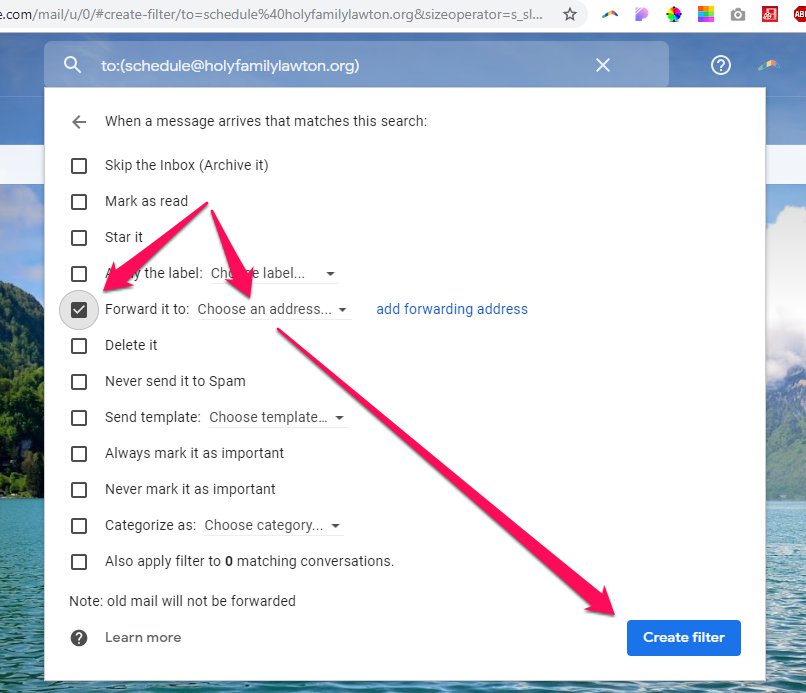
8. Check your filters: