

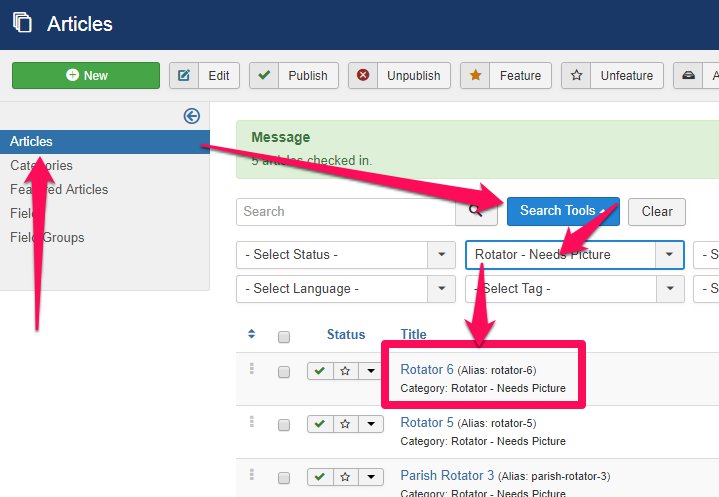
1. Go to the Article Manager
- Click 'Search Tools'
- Click 'Select Category'
- Select the rotator category (usually 'ROTATOR - NEEDS PICTURE, Parish Rotator, Rotator - Needs Picture, etc.)
- Click to edit a Mass Times Article
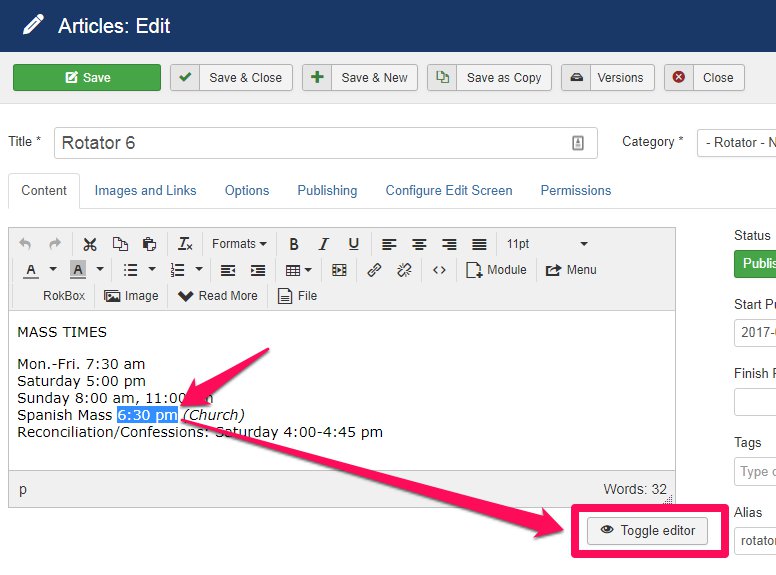
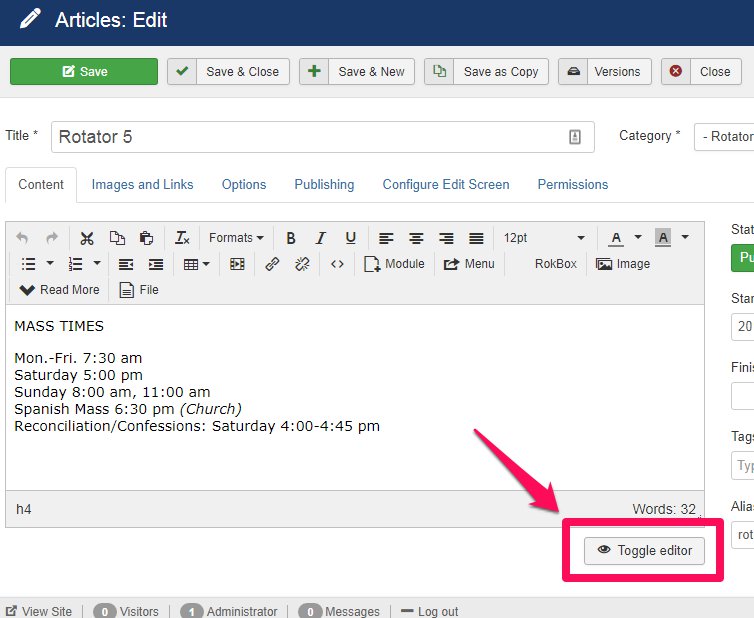
2. Edit the Mass Times information as needed, then click 'Toggle Editor':
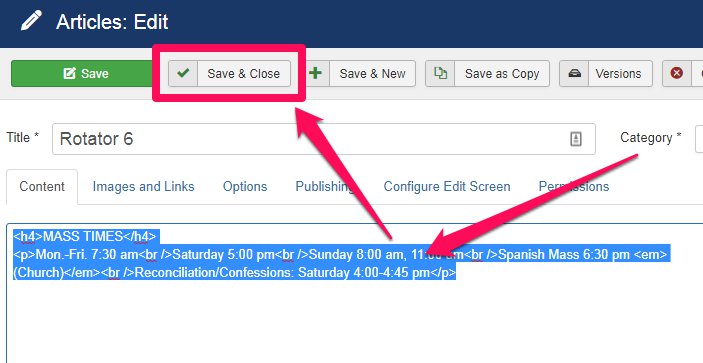
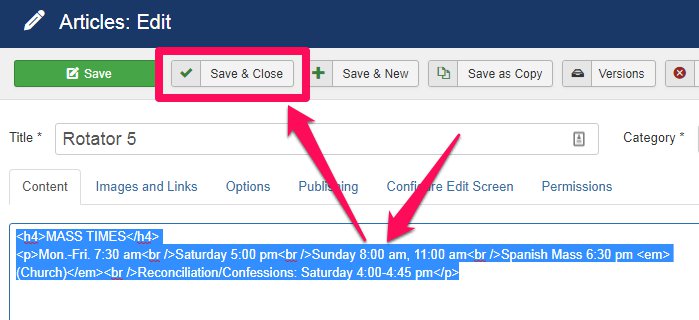
3. Highlight the entirety of the code and copy it (Ctrl + C). Then click 'Save & Close':
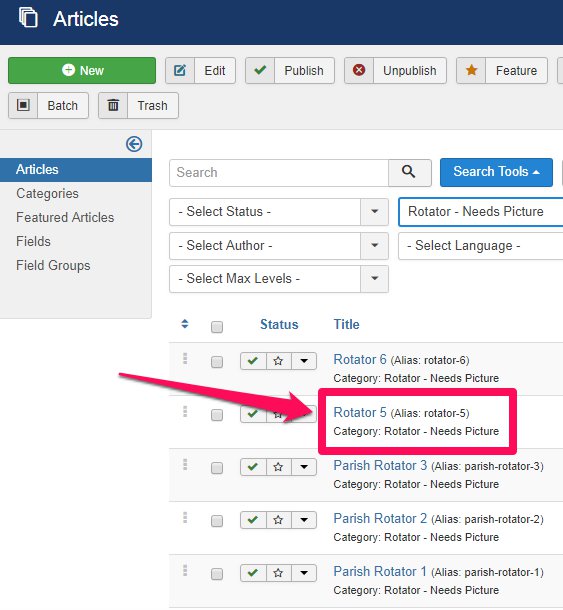
4. Click to edit the next Mass Times Article:
5. Click 'Toggle Editor':
6. Highlight the entirety of the code and paste (Ctrl + V) the newly copied code to replace it. Then click 'Save & Close':
7. Repeat steps 4-6 as needed. Be sure to refresh the webpage to check your work!