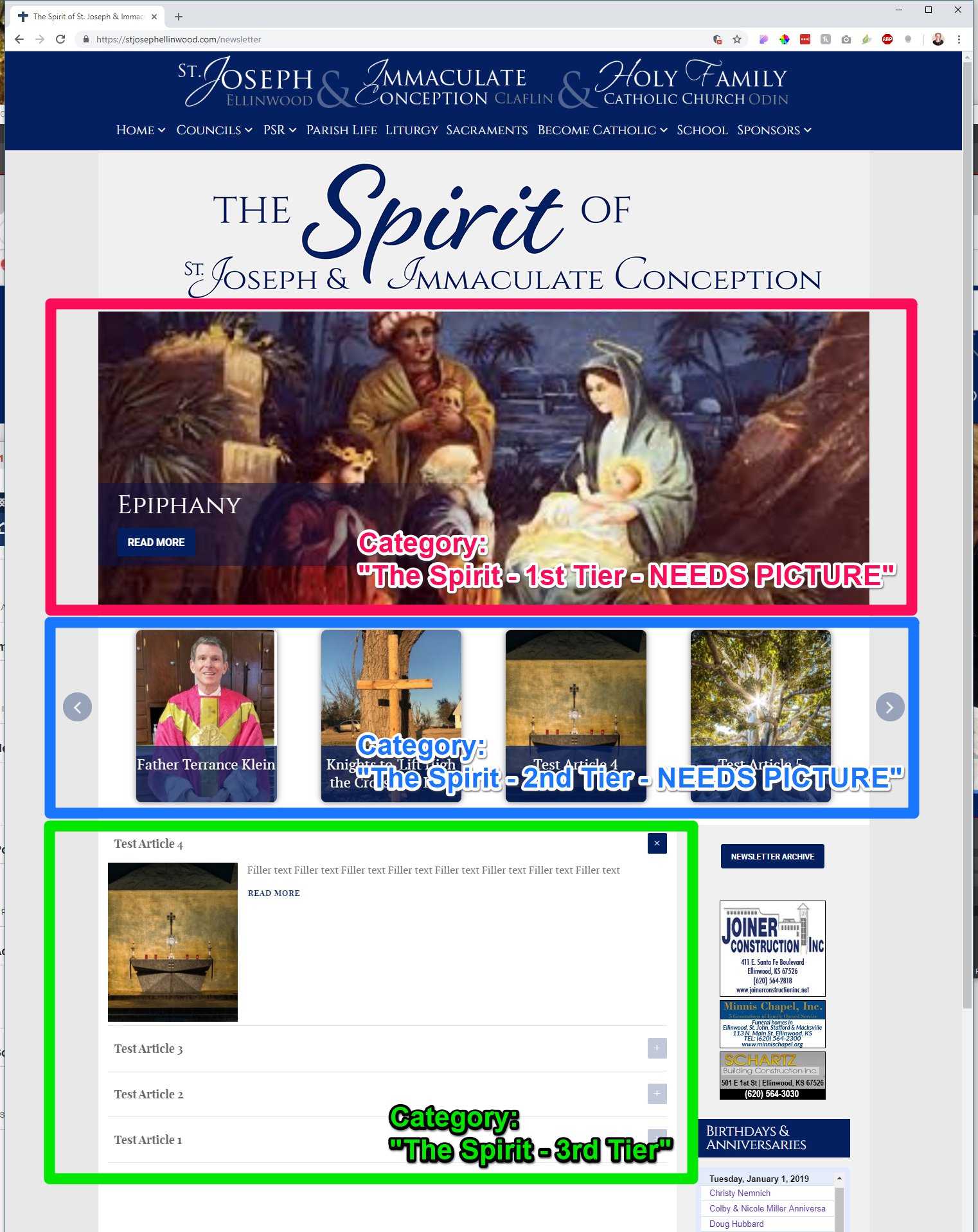
Hi there! This page has been made specifically to help you update the Newsletter page for St. Joseph in Ellinwood.
https://stjosephellinwood.com/newsletter
Outline of Updating the Newsletter Page:
1st Tier
1. Resize Image using Resize Rotator Image button in Control Panel: Canva for Rotator
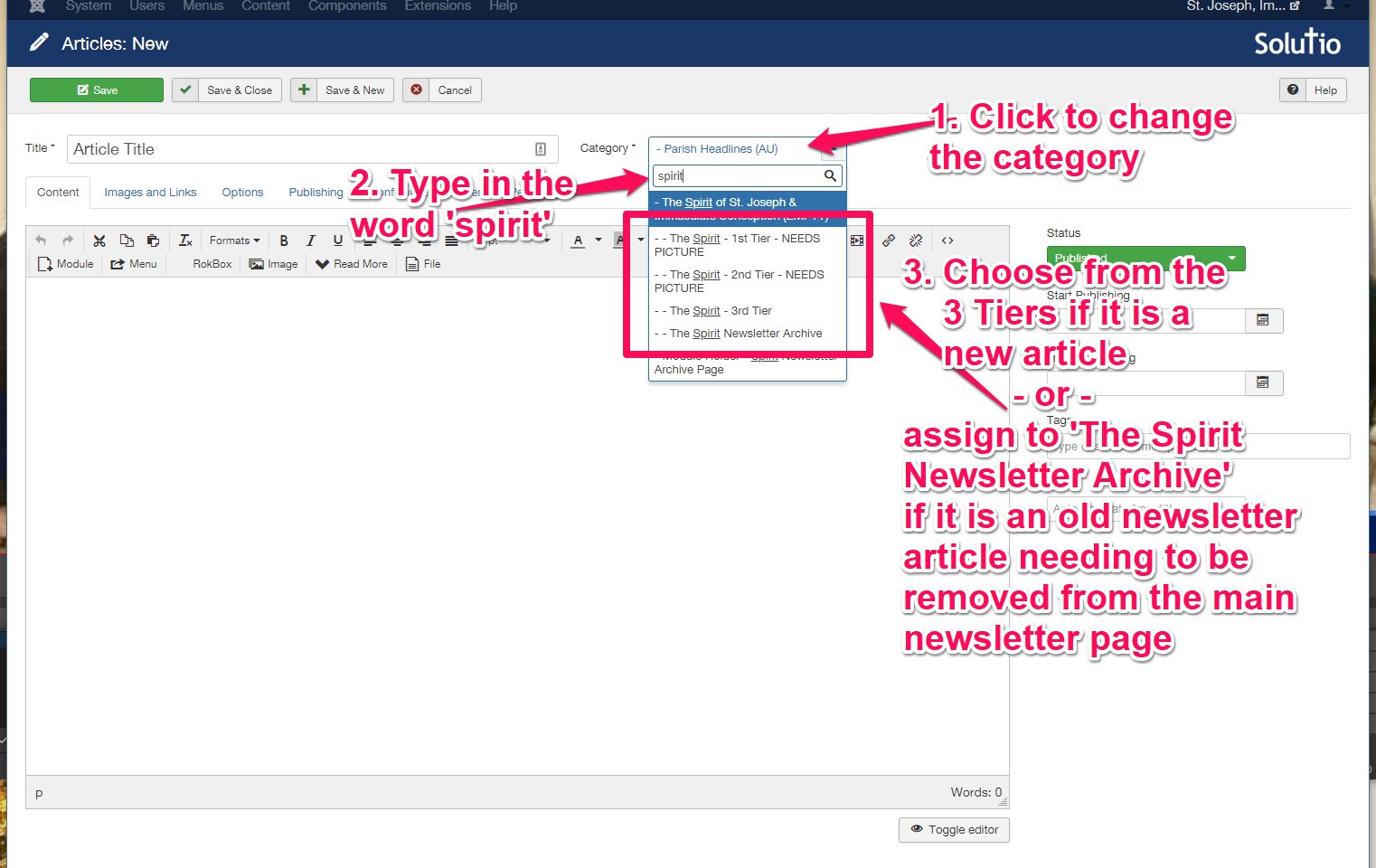
2. Upload the Image to the 1st Tier by creating an Article assigned to the Category 'The Spirit - 1st Tier - NEEDS PICTURE'
3. Add Text (Ctrl + C to copy highlighted text & Ctrl + V to paste copied text into Article)
4. Remove Formatting if needed
2nd Tier
1. Resize Image using Newsletter Headline Image button in Control Panel
2. Upload the Image to the 2nd Tier by creating an Article assigned to the Category ''The Spirit - 2nd Tier - NEEDS PICTURE''
3. Add Text (Ctrl + C to copy highlighted text & Ctrl + V to paste copied text into Article)
4. Remove Formatting if needed
3rd Tier
1. (Optional) Resize Image using Newsletter Headline Image button in Control Panel
2. Create a New Article and assign it to the Category ''The Spirit - 3rd Tier'
3. Add Text (Ctrl + C to copy highlighted text & Ctrl + V to paste copied text into Article)
4. Remove Formatting if needed
To Add to Newsletter Archive:
1. Do not change the Status of the Article from 'Published', but instead:
2. Move the Old (1st, 2nd, & 3rd Tier) Articles by re-assigning them to the Category 'The Spirit Newsletter Archive'
Managing the Archive section of the Newsletter Archives: