


Albumizr is a helpful tool for adding pictures to the site in a slideshow fashion.
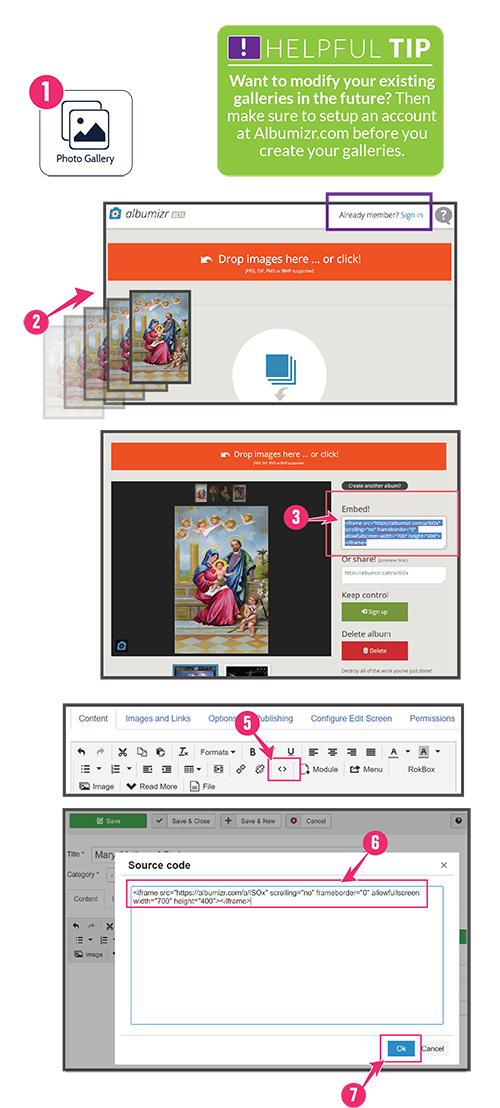 1. Click the Photo Gallery Icon
Starting at the Control Panel, click on the Photo Gallery button.
(This will take you to Albumizr.com)
2. Drag & Drop Images
Simply drag and drop images, or click the orange banner to select pictures.
3. Copy text from Embed! box
Copy Embed code from right side of page.
4. Return to Article Editor
Close Albumizr window and return to the Article Editor.
5. Click HTML button
Click the Edit HTML <> button to paste into the HTML of the article.
6. Paste in Embed Text
Paste the copied text into the editor box.
7. Click 
8. Save & Close the Article.