
-
Help Topics

- Adding & Editing Pictures
Adding Pictures to Articles, Rotators, Grids, and News Items
There are many ways to add pictures to your website. Here are a few scenarios.
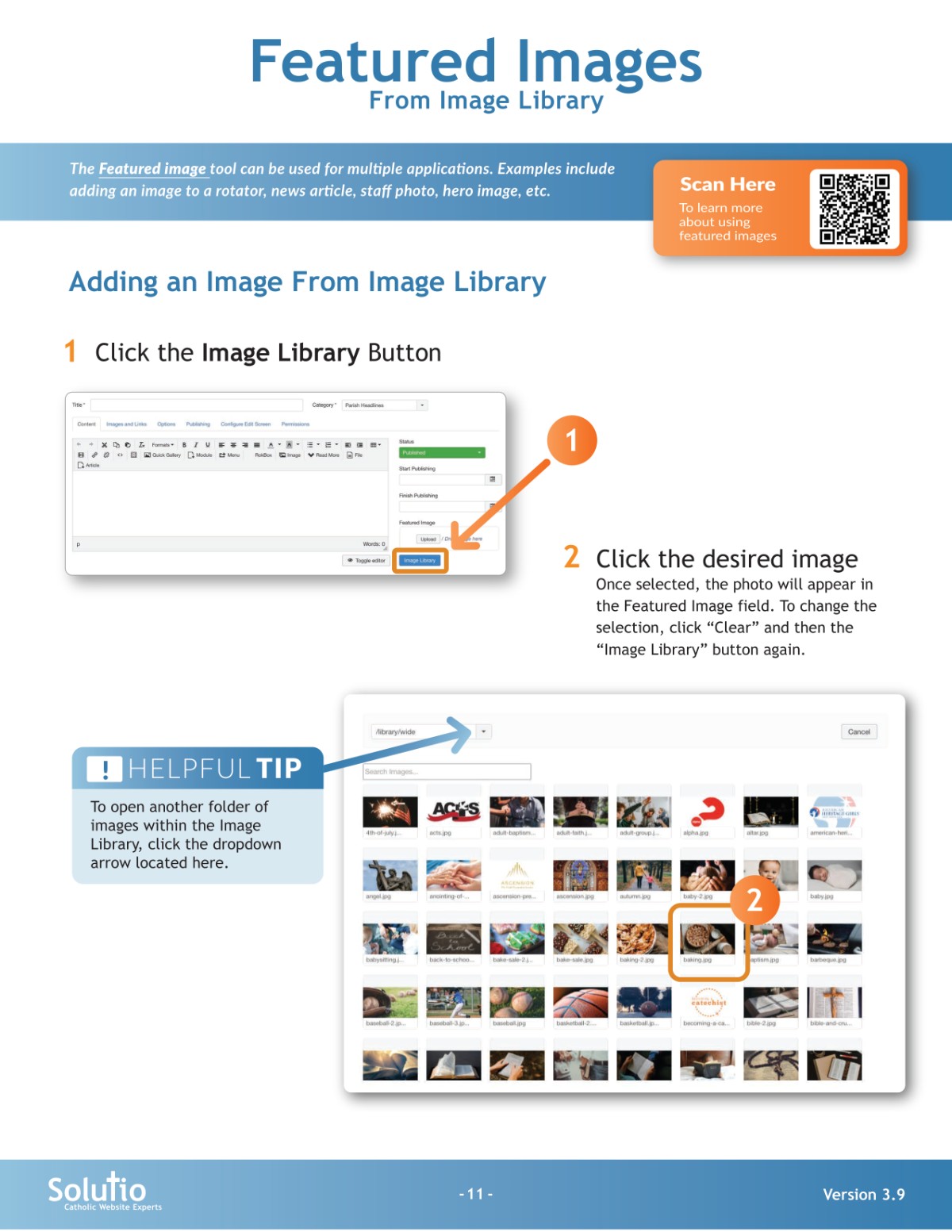
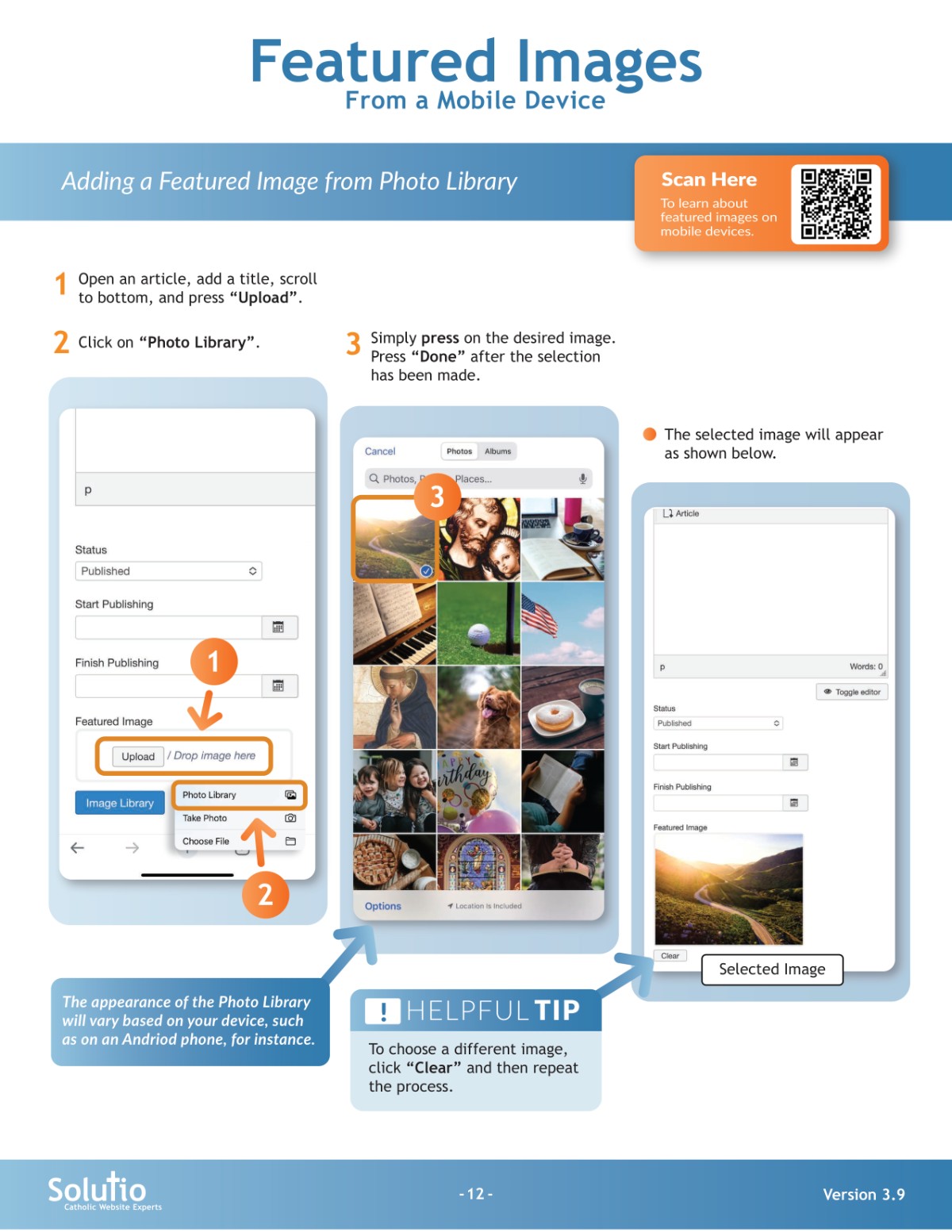
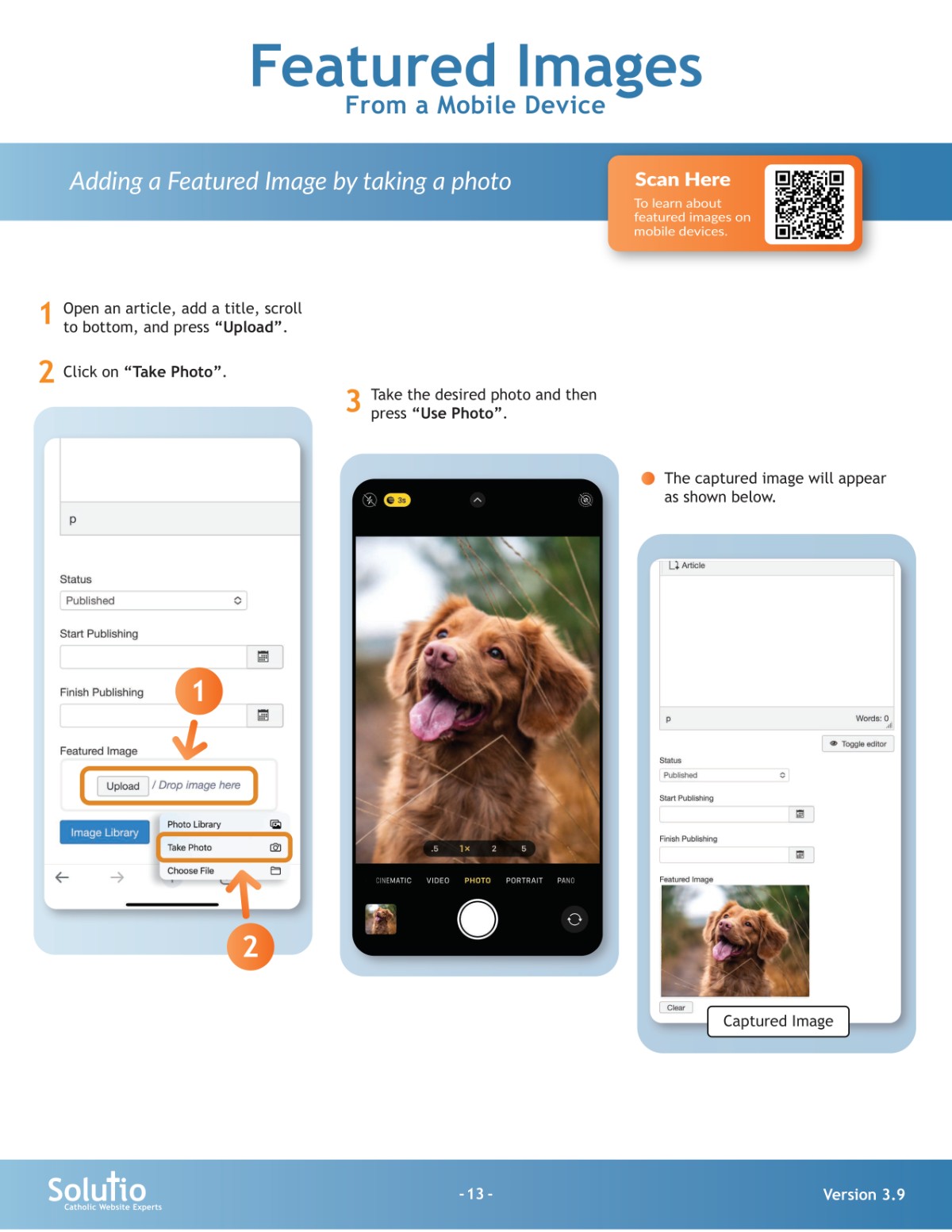
1. To add images to a rotator, news article, or grid item, use the featured image field.
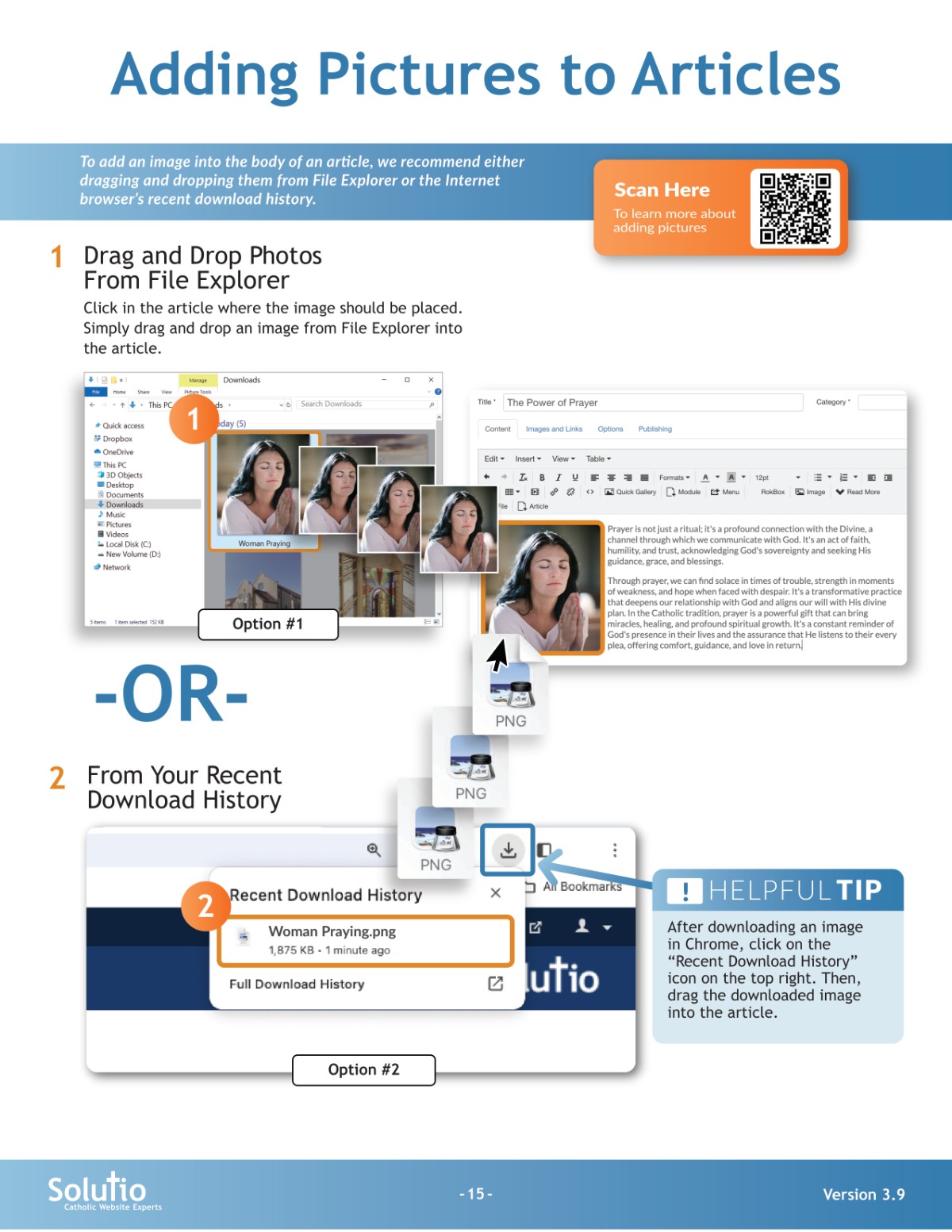
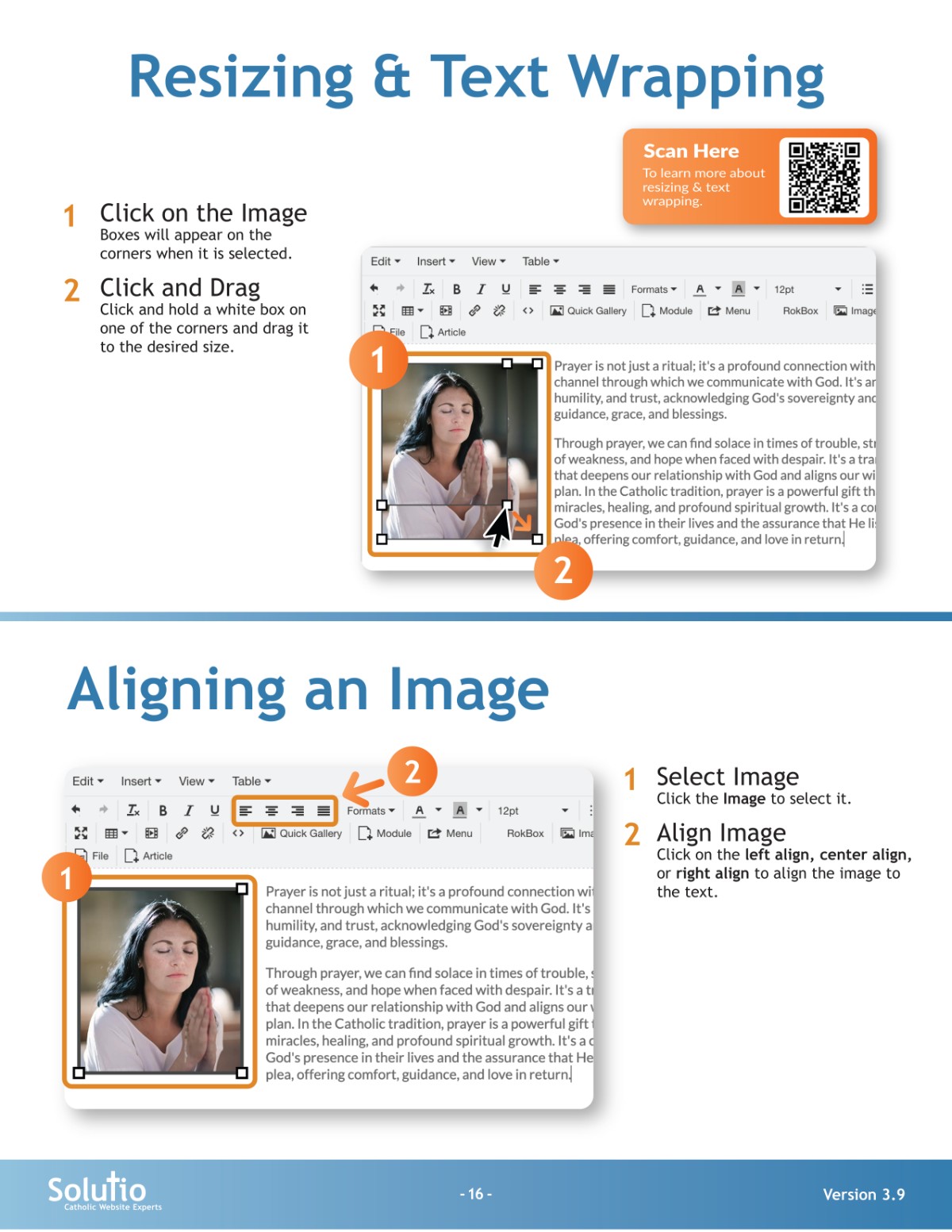
2. To add images to the body of an article, drag and drop an image from your file explorer into the article or click the image button in the toolbar.
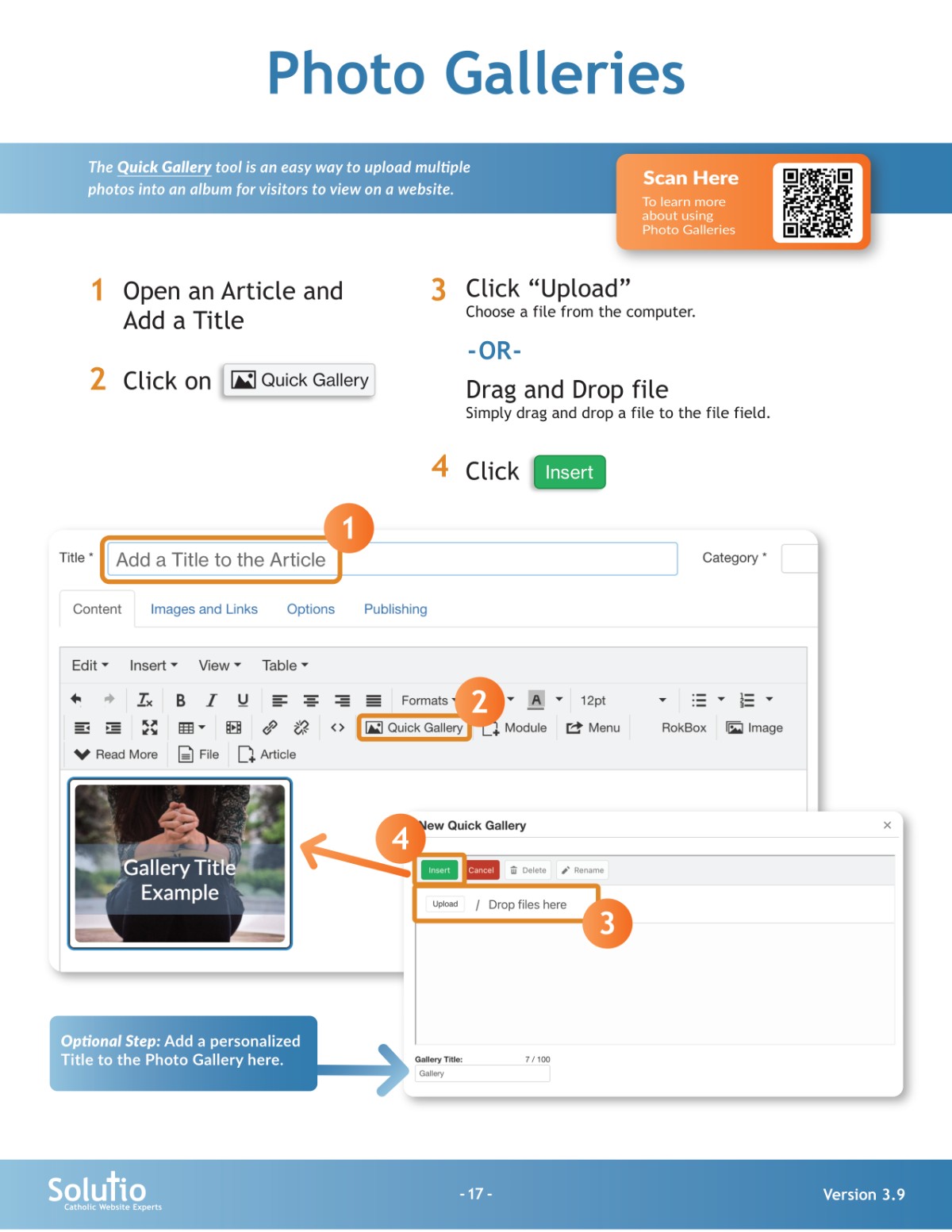
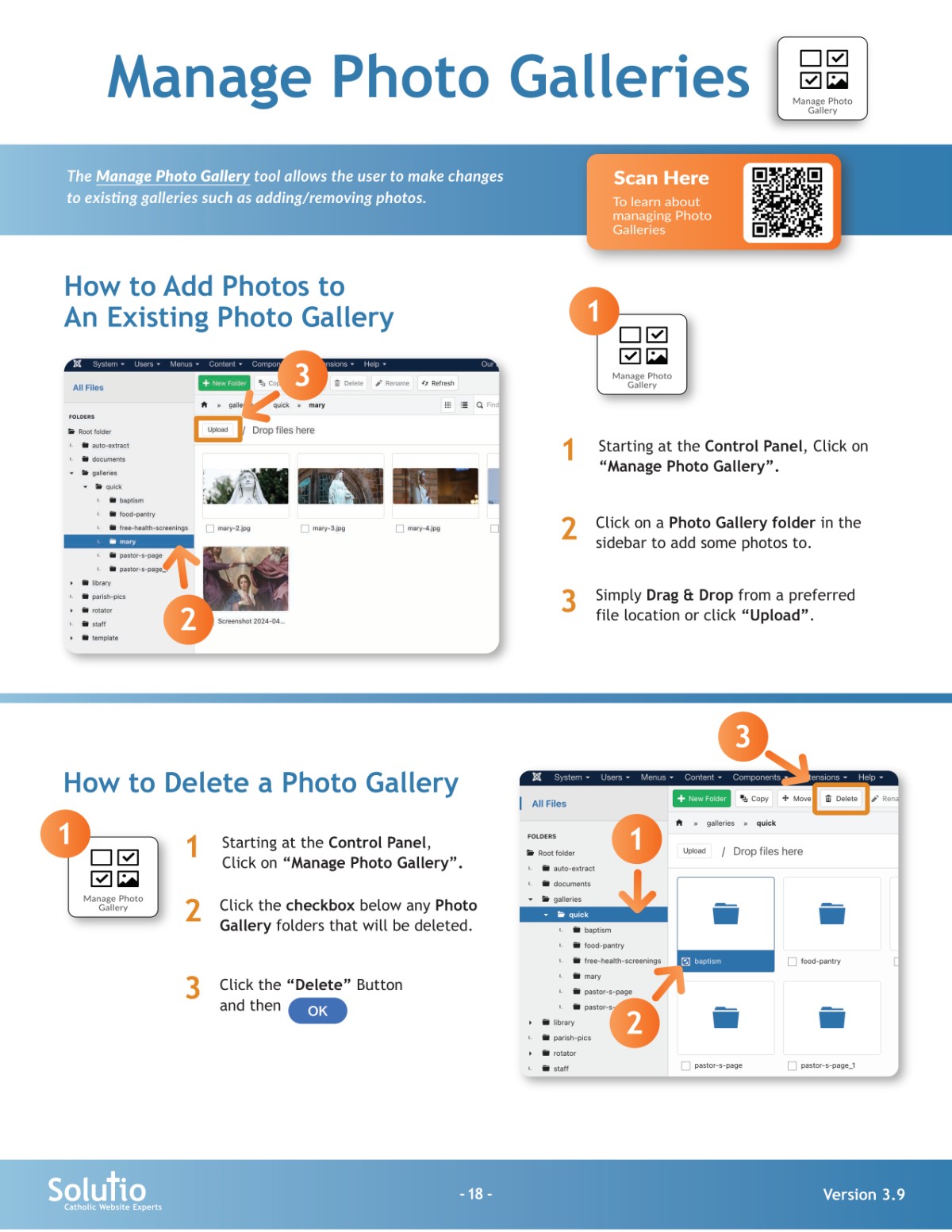
3. To add photo galleries use the quick gallery feature. You can find the quick gallery button in your toolbar or add images to galleries using the buttons on your control panel (If this has been enabled for your website).
Adding an Existing Picture or Clip Art
Pictures and Clip Art can be added to an Article if they are already uploaded to the Image Manager.
Image Orientation & How to Change It
Some images look like they are upright, but when uploaded to the website Image Manager, they appear sideways instead. This is an example of how an image's true orientation not being shown on your desktop. Here is a free online tool to re-orient one of these images for use on the website.
Picture Galleries with Albumizr
Albumizr is a helpful tool for adding pictures to the site in a slideshow fashion.
What size should my image / picture be?
Our main concern with images is that they not be too big.
