Pictures and Clip Art can be added to an Article if they are already uploaded to the Image Manager.
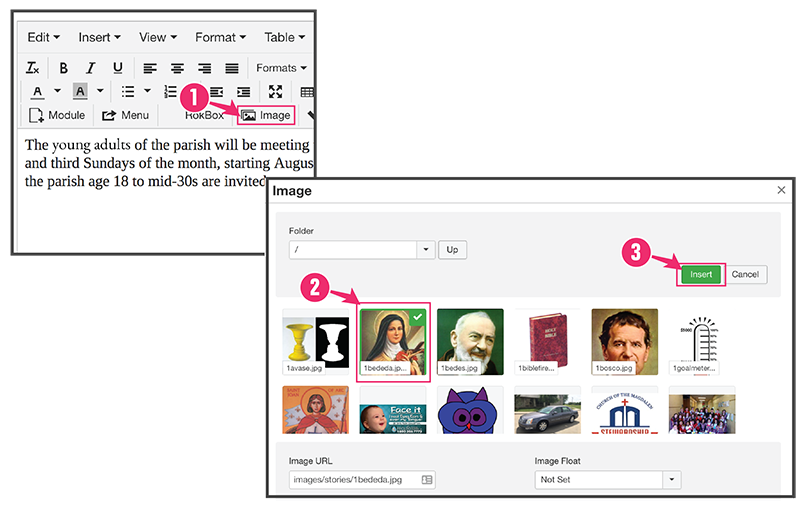
1. Image Button
Click the Image button  located above the article body, and a pop-up box will appear.
2. Click on Image
Find and click on the image you want to insert.
3. Click "Insert"
Click  located in the top right.