

Edits to an image can be done by aligning or resizing.
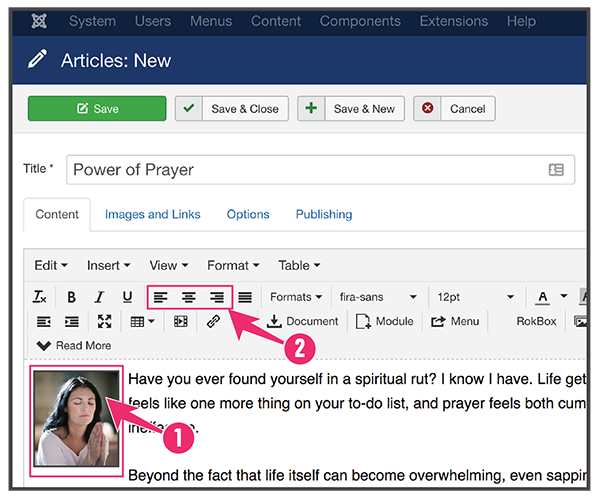
Align Image
1. Select Image
Click the Image to select it.
2. Align Image
Click on the left align, center align, or right align to align the image to the text.
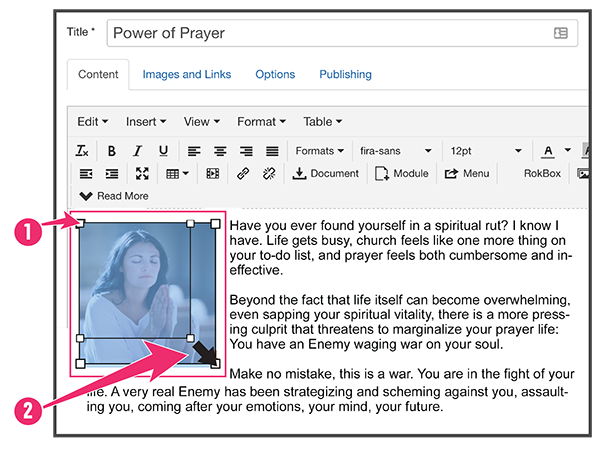
Resize Images
1. Click on the Image
You should see the boxes on the corners when it is selected.
2. Click and Drag
Click on a white box corner and drag to your desired size.