There are many ways to add pictures to your website. Here are a few scenarios.
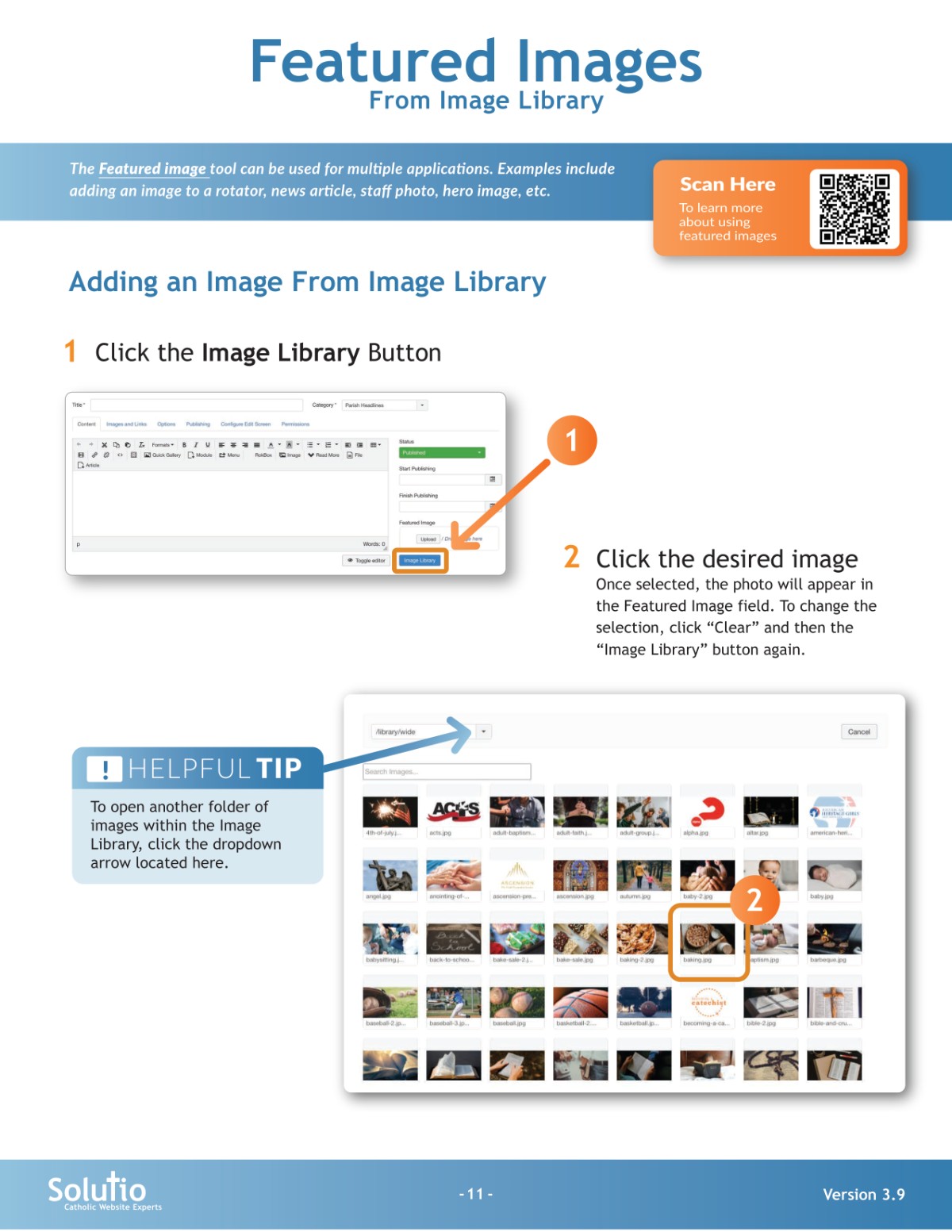
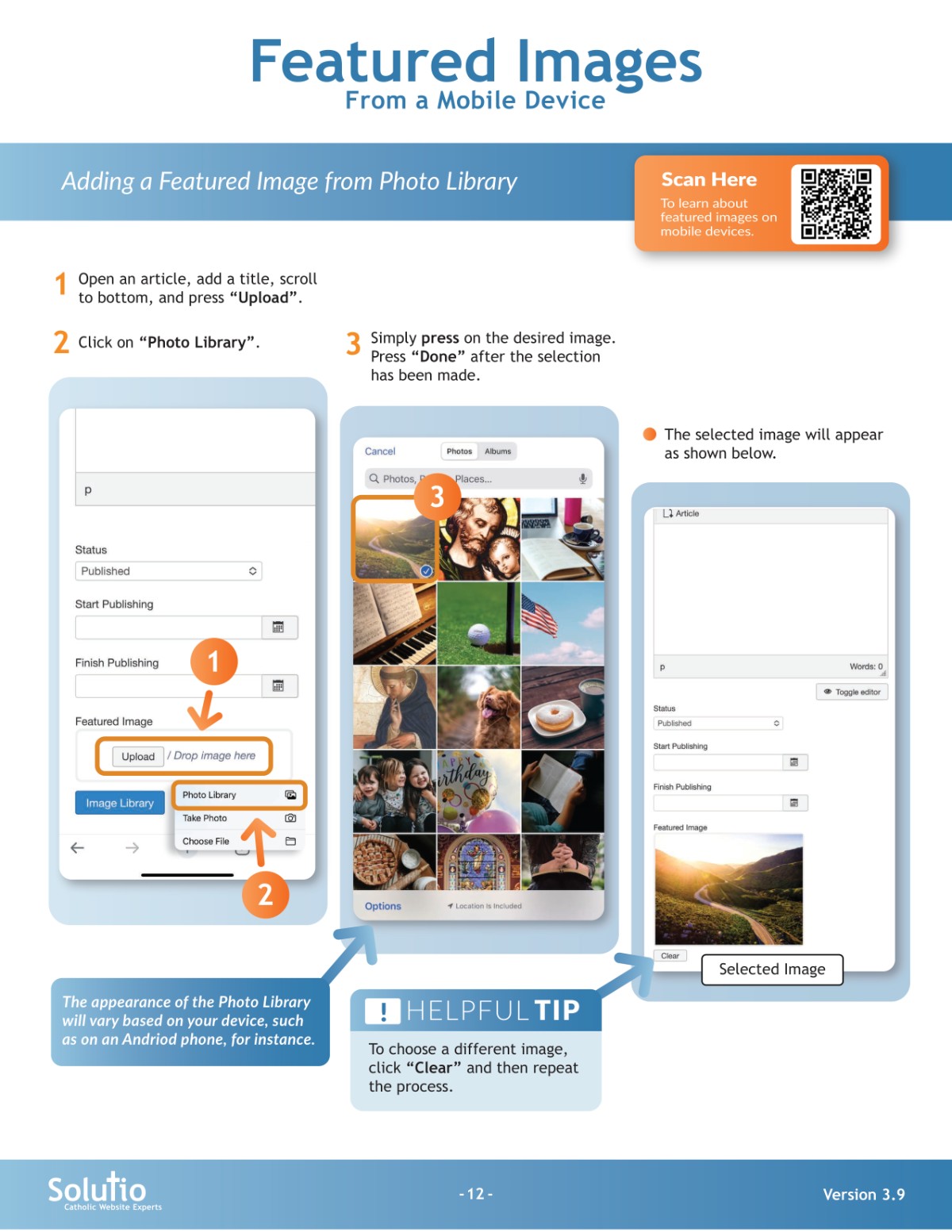
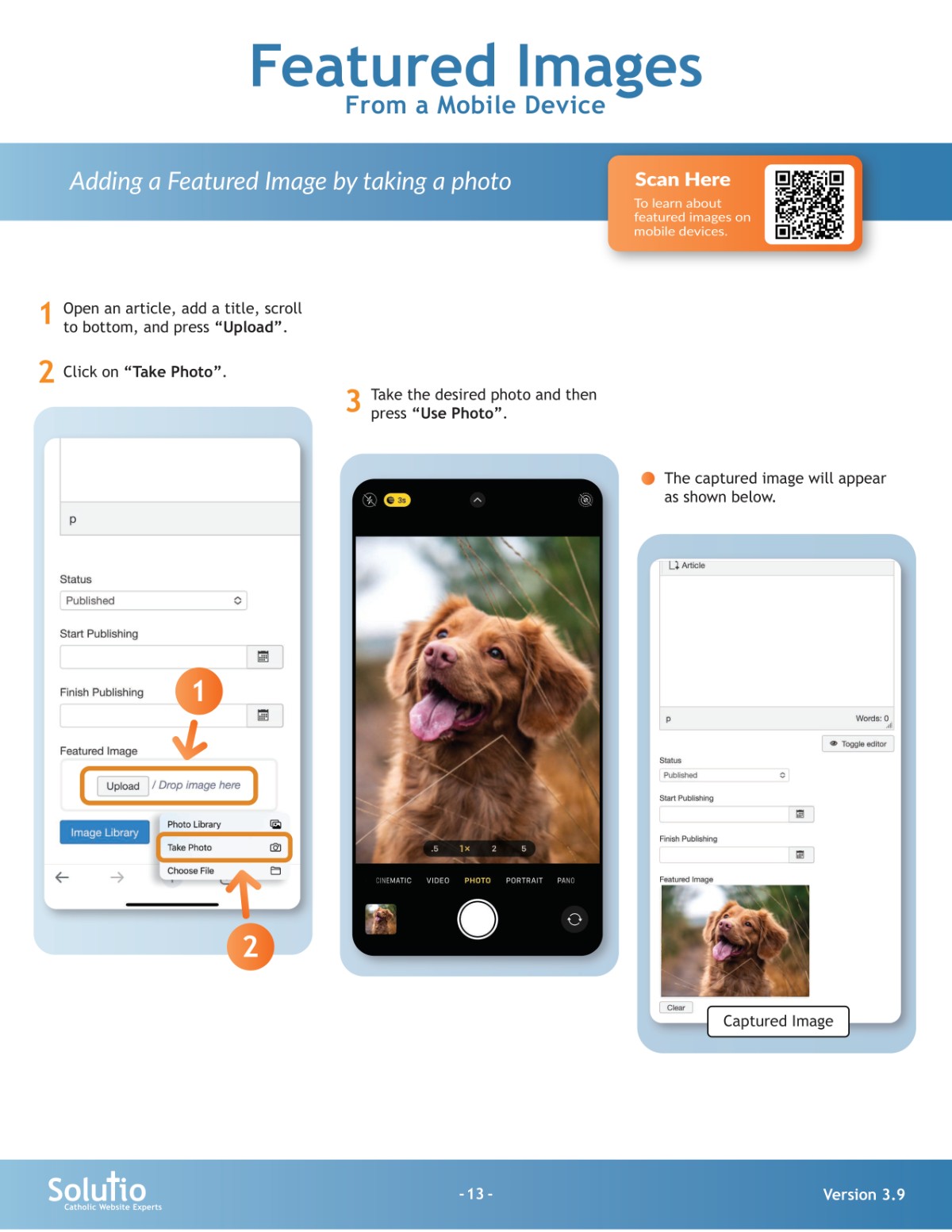
1. To add images to a rotator, news article, or grid item, use the featured image field.
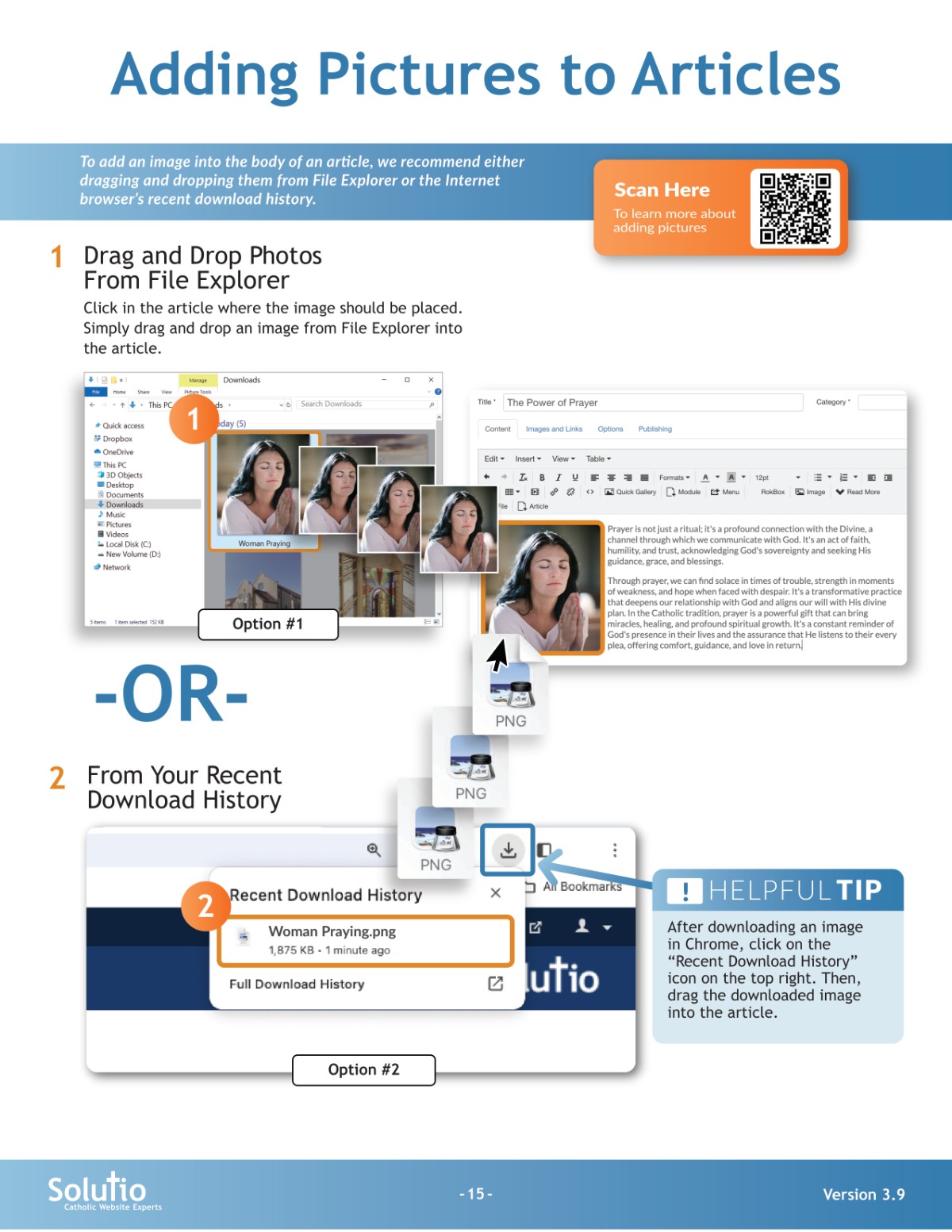
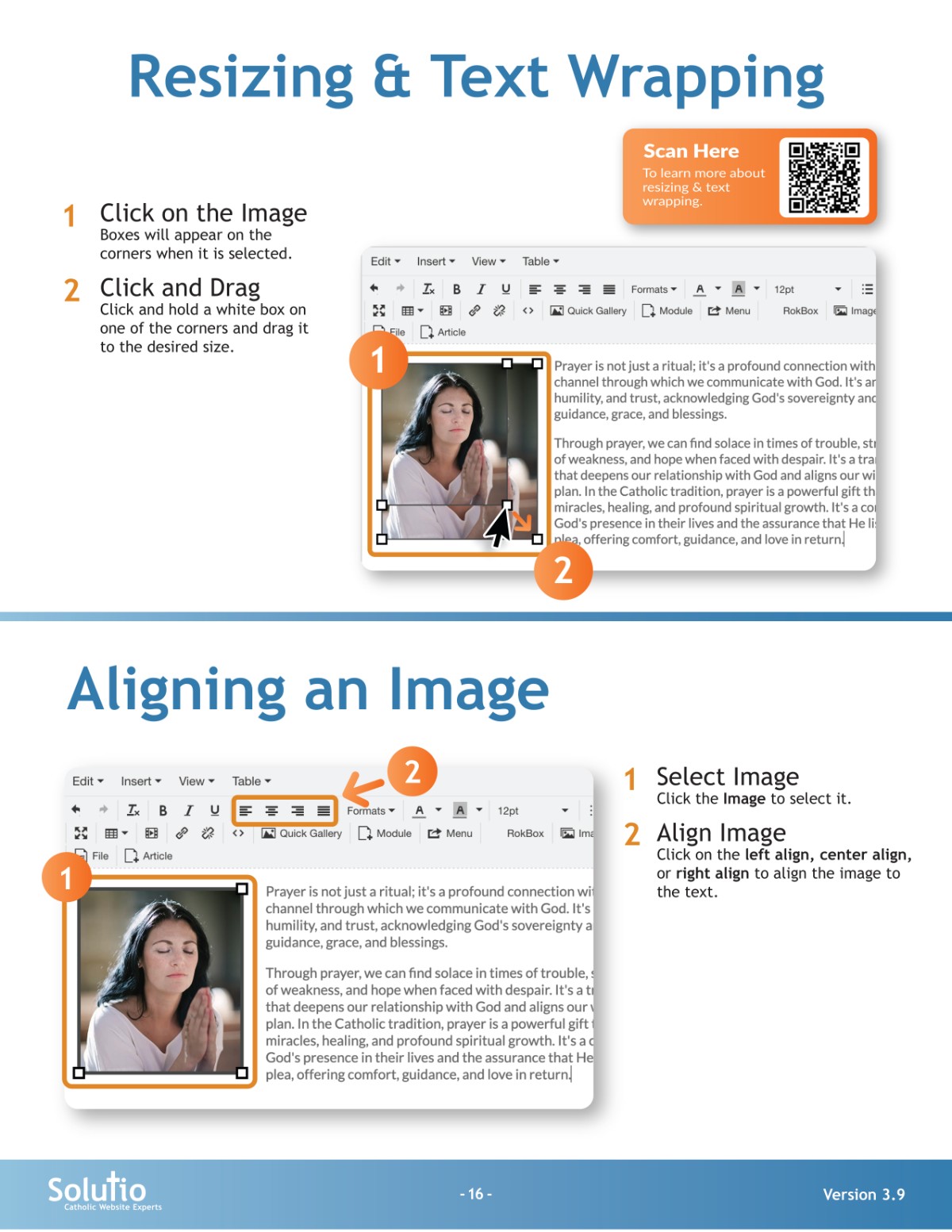
2. To add images to the body of an article, drag and drop an image from your file explorer into the article or click the image button in the toolbar.
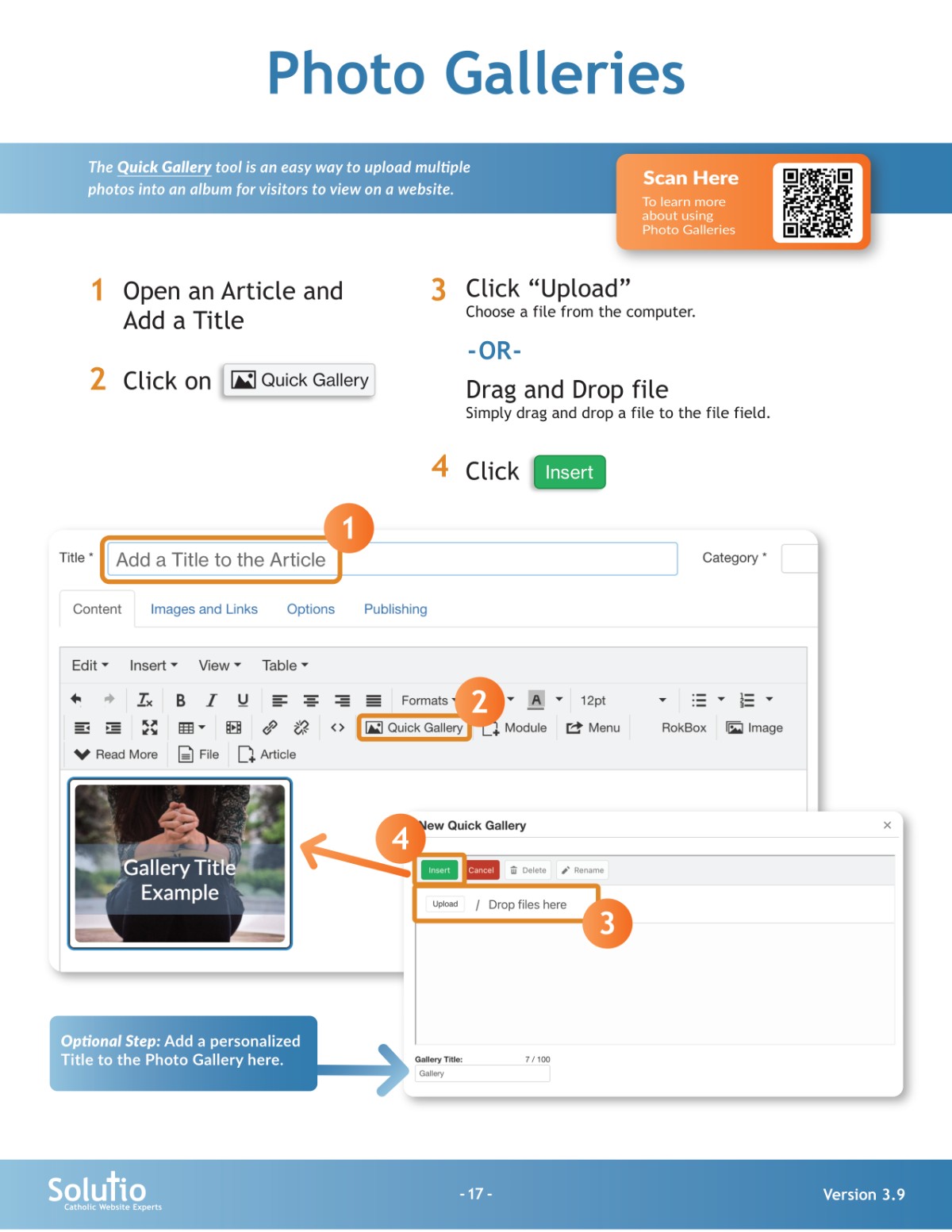
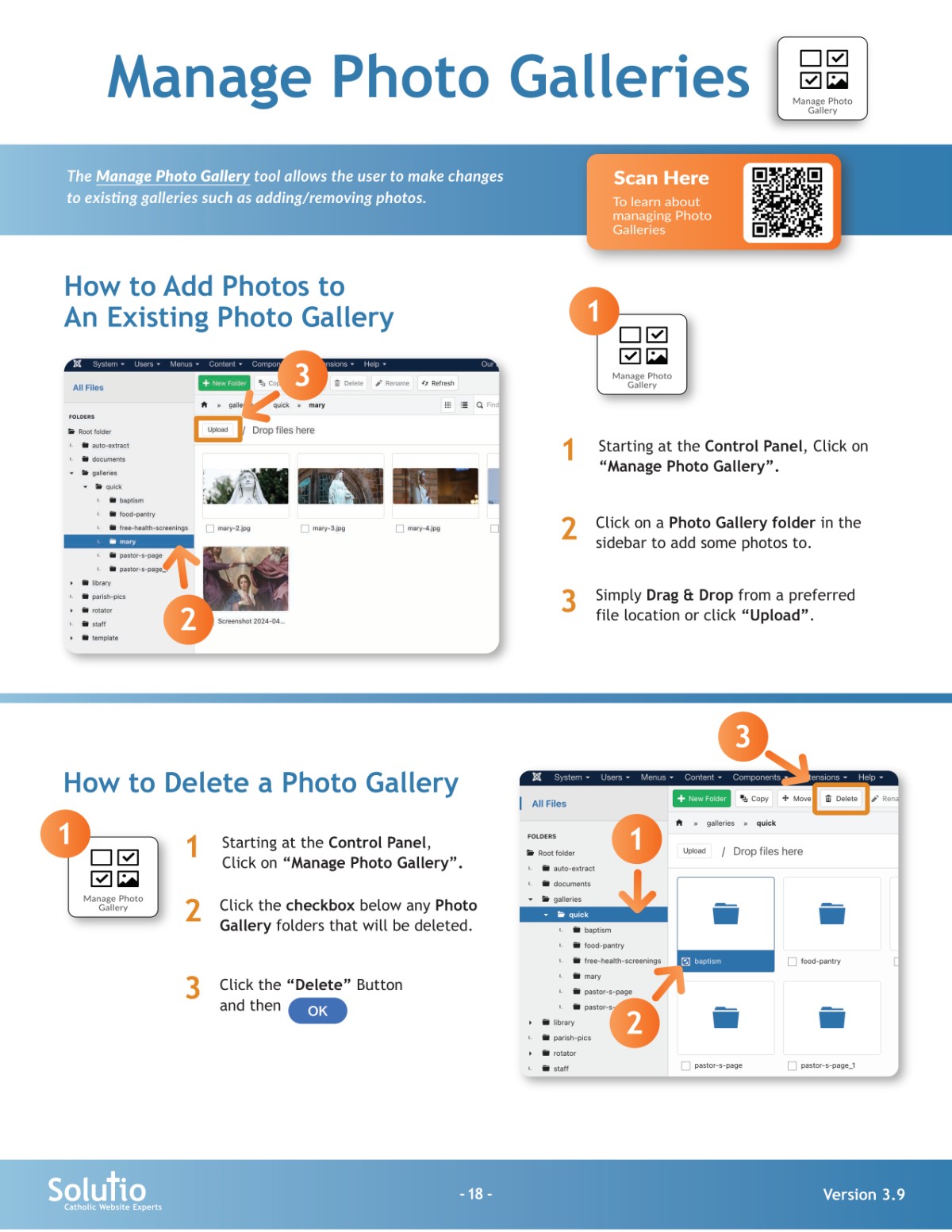
3. To add photo galleries use the quick gallery feature. You can find the quick gallery button in your toolbar or add images to galleries using the buttons on your control panel (If this has been enabled for your website).