


You can embed a YouTube Playlist either into an Article on a page, or via a module on the Homepage or elsewhere.
In this video:
- add videos already uploaded to playlist
- reorder videos in playlist
- obtain playlist embed code
- embed playlist
- upload new video and add to playlist
If you are looking to add this to a module on the Homepage, please send us a request at This email address is being protected from spambots. You need JavaScript enabled to view it. with the Playlist Embed Code obtained with these instructions.
To Obtain the Playlist Embed Code:
- Visit https://studio.youtube.com/ make sure you are in the correct channel
- Click on 'Playlists'. Create a new public playlist.
- Under "Content" add videos to the playlist
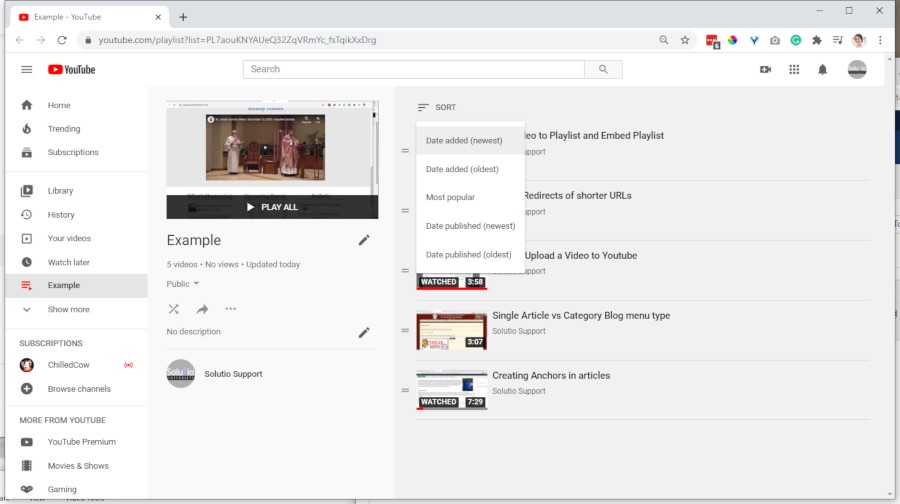
- In the playlist settings, set the order to Date Added (newest) - I say otherwise in the video
- Click the Share arrow to copy the playlist URL
- Copy the iframe embed code below and replace playlist ID within your playlist ID.
- Embed in HTML mode of an article.
<iframe width="760" height="425" src="https://www.youtube-nocookie.com/embed/videoseries?list=PLkVY1bz_cLPeQTAVUX55yrjTKt2OGDIQh" frameborder="0" allow="accelerometer; autoplay; encrypted-media; gyroscope; picture-in-picture" allowfullscreen></iframe>