

The domain transfer process can be completed before the new website launches. If the domain is managed by a third-party tech support company, include This email address is being protected from spambots. You need JavaScript enabled to view it. in an email asking them to work with our team to transfer the domain(s) to Solutio's registrar.
Or follow the guide below to complete the domain transfer(s). Complete these steps for each domain to be transferred.
1. Log in to the domain registrar
You can find the domain in your registrar account. Some common examples include GoDaddy, Network Solutions, Namecheap, Register.com and many others.
If your domain is registered with Namecheap you will need special instructions: This email address is being protected from spambots. You need JavaScript enabled to view it..
Roadblocks:
Lets find your domain! Visit this page:
If you have forgotten your password or username for your registrar try using their recover password or username tool. You can also contact your registrar's support team to help reset your login credentials.
If you don't know where your domain is registered you will need to track down your domain.
Check out the next two roadblocks and see if they can resolve the issue.
Many clients use third-party companies for help with technical support. They may also manage your domain for you. If so, we can work with them to transfer your domain.
Here is a template for an email you can send to them. Make sure to attach Jeremy (This email address is being protected from spambots. You need JavaScript enabled to view it.) to the email and let them know they can work with him to transfer the domain.
Hello,
We are preparing to launch a new website and would like to transfer our domains to Solutio's registrar.Can you work with Jeremy to make the necessary changes?
Thanks
If you want to keep the domain registered with the third-party you can let them know they can work with Jeremy to schedule the necessary DNS changes to launch your website intead.
If a person who no longer works with the parish manages the domain, try to contact them. This may be the person who originally set up the website or the individual you worked with to build your website. Usually, they can provide the login information or direct you to another person who may have the information.
If it is impossible to contact the previous manager you can legally apply with your domain registrar to have the primary contact or owner changed. You will need to verify that you are the legitimate owner with documentation. This can be a lengthy process and take months to resolve. Once the primary contact is changed the domain is automatically locked from transfer for 60 days.
If you need help This email address is being protected from spambots. You need JavaScript enabled to view it..
2. Obtain a copy of your DNS records
The DNS records will be found within your domain registrar under the DNS settings. Look for keywords like Manage DNS, Update DNS, DNS settings, and Advanced DNS settings. You may have to navigate to advanced settings or advanced tools to find an option to manage DNS records.
Once you find your DNS records This email address is being protected from spambots. You need JavaScript enabled to view it.. (copy and paste into an email or send a .txt file - It is ideal that our team not have to re-type any records.)
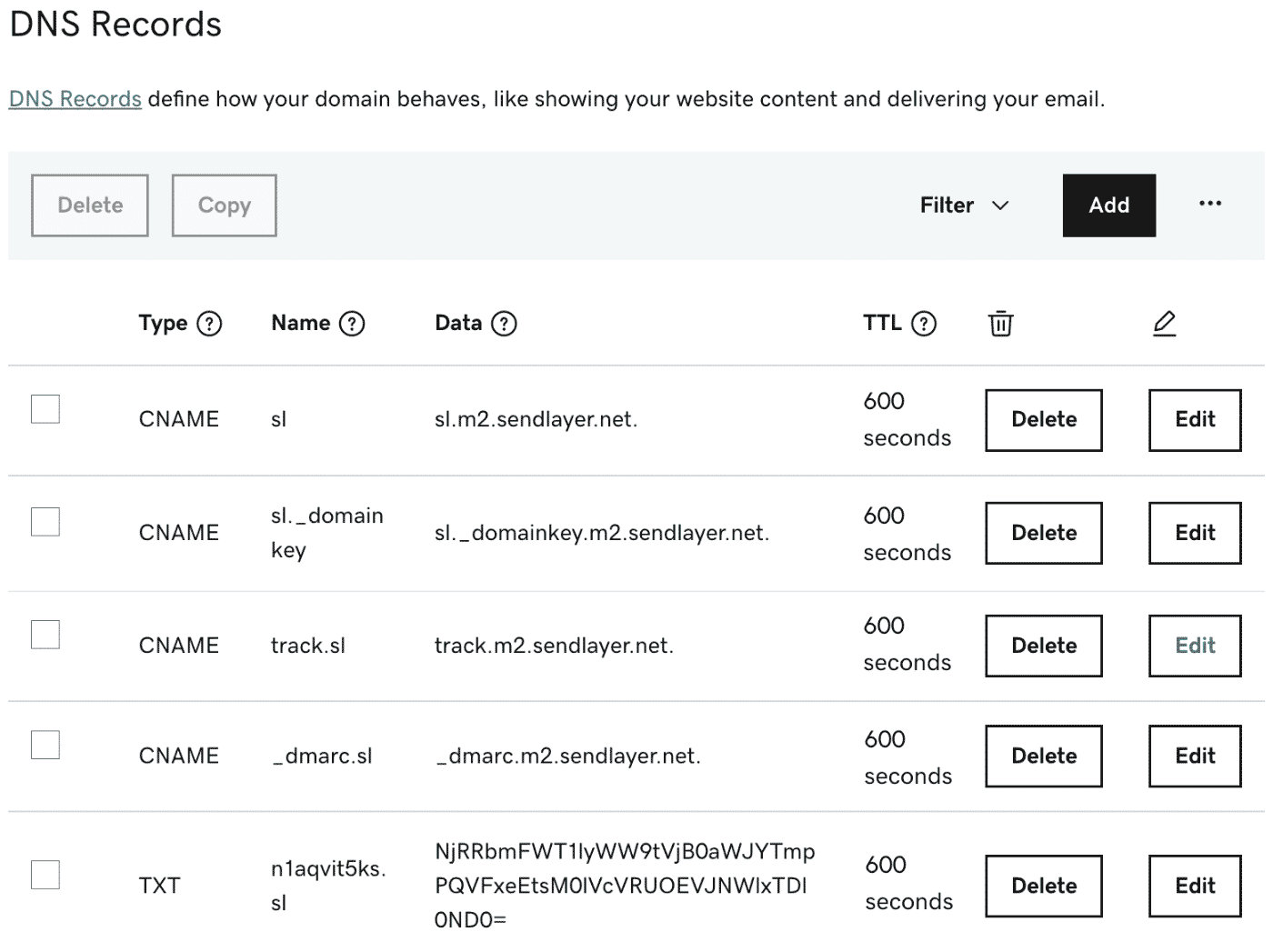
Roadblocks:
Here are some articles for different registrars on finding your DNS records. You can also search for support articles about your registrar: "How do I manage my DNS records in GoDaddy?"
| GoDaddy | Network Solutions | BlueHost | Domain.com |
The process for finding DNS records is similar for many registrars. If your registrar has the manage DNS grayed out or there are no DNS records listed at all, your domain may be using custom nameservers. Check out the next roadblock.
If your domain uses custom nameservers your DNS records are managed outside your domain registrar.
We will need a copy of the existing DNS records before we transfer the domain. Usually, this means contacting the third party who managing them for you.
If we are unable to access the custom nameservers it is possible to lookup the existing records. The DNS record lookup tool is not 100% reliable and it is better to have a direct copy of the records.
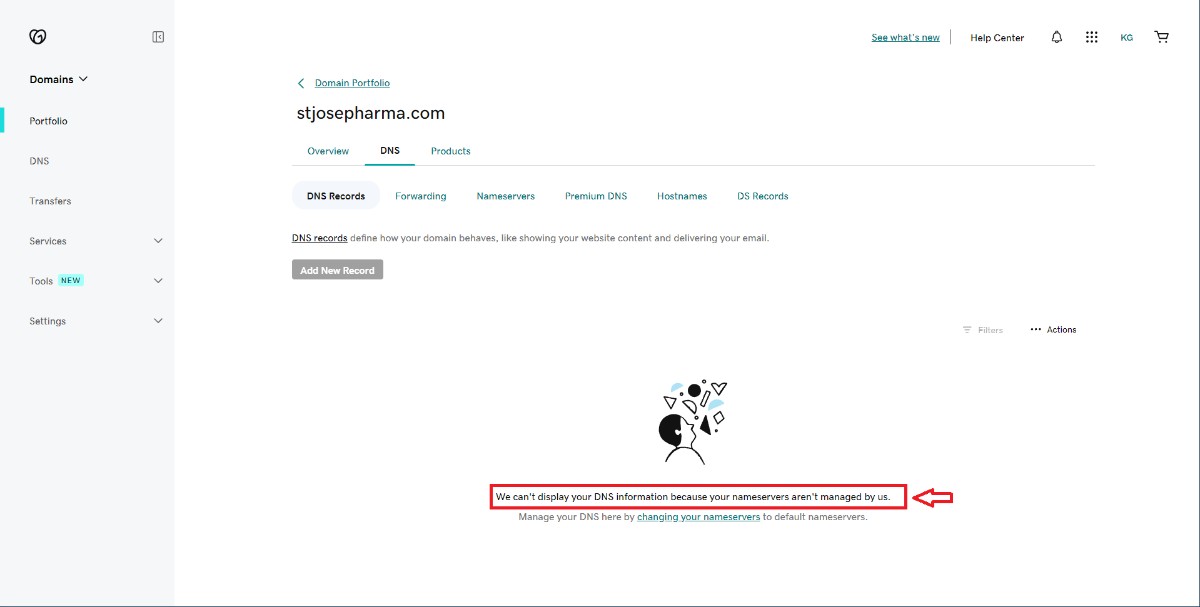
We will need to complete all the steps for each domain.
3. Unlock your domain and obtain an Auth code
An Auth code is a password that allows us to initiate the transfer. You must unlock each domain before transferring to our registrar. You can find these in your domain registrar. Some registrars will send the Auth code to the registered email on the account. Others will reveal it on the website. Please also turn off the Private Registration setting as well an any auto-renew setting.
Once you have your Auth code, you can This email address is being protected from spambots. You need JavaScript enabled to view it..
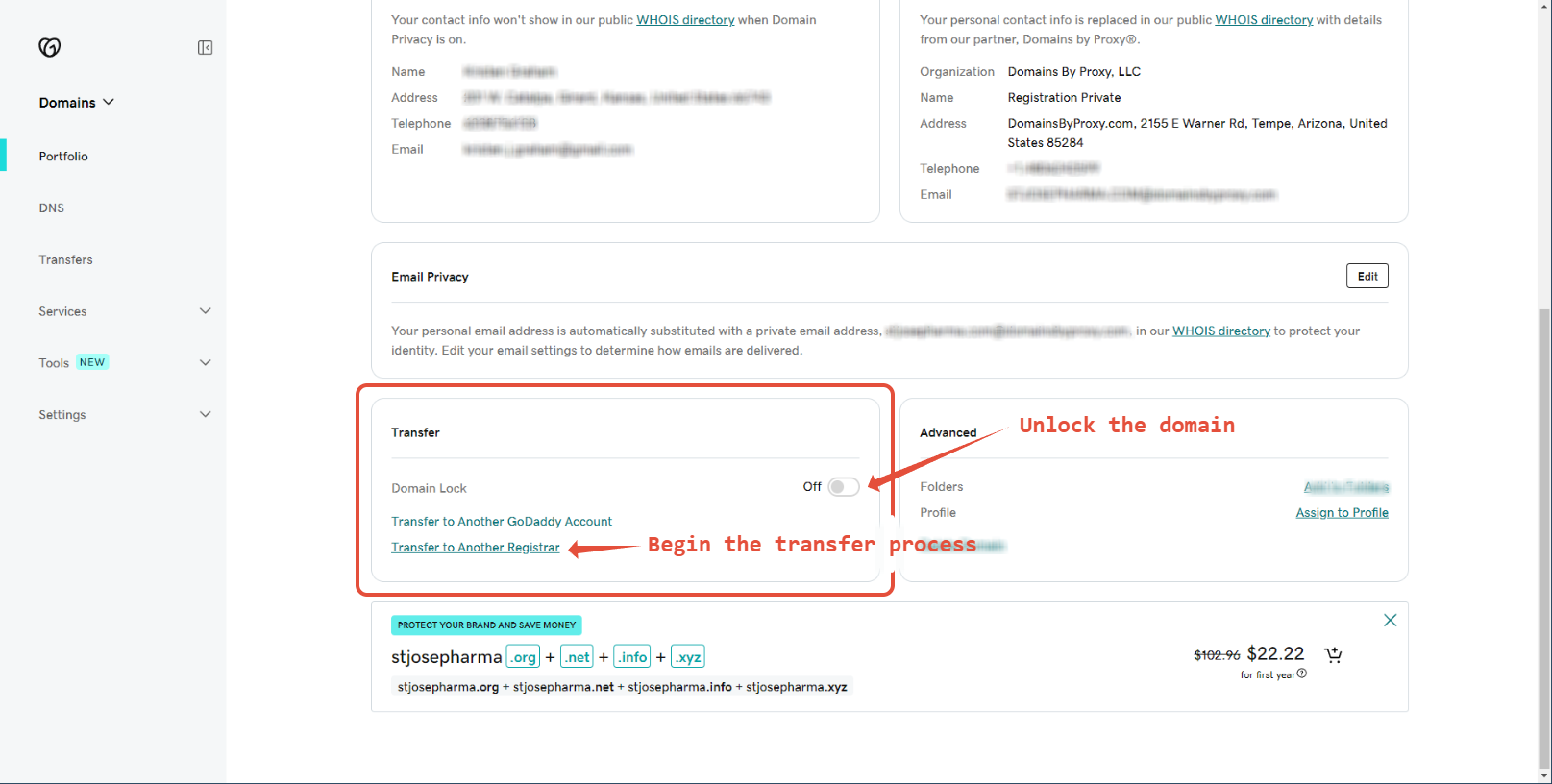
Roadblocks:
4. Update the Nameservers - After Jeremy confirms the DNS records
Don't complete this step until after Jeremy has confirmed Solutio is ready.
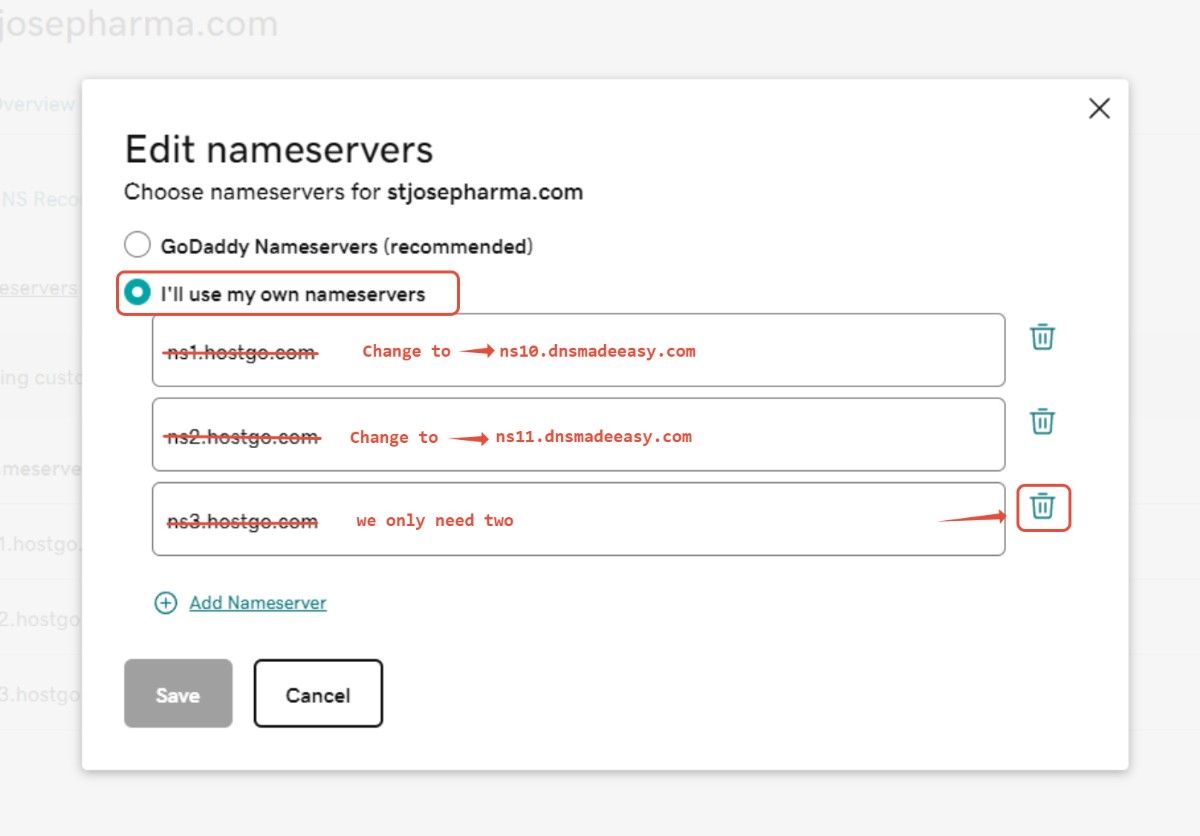
Once Solutio has recreated your DNS records you can update the nameservers on your domain to point to ours. Look for an option to use custom nameservers for your domain.
Our custom nameservers are:
ns10.dnsmadeeasy.com
ns11.dnsmadeeasy.com
1. Find the custom nameservers
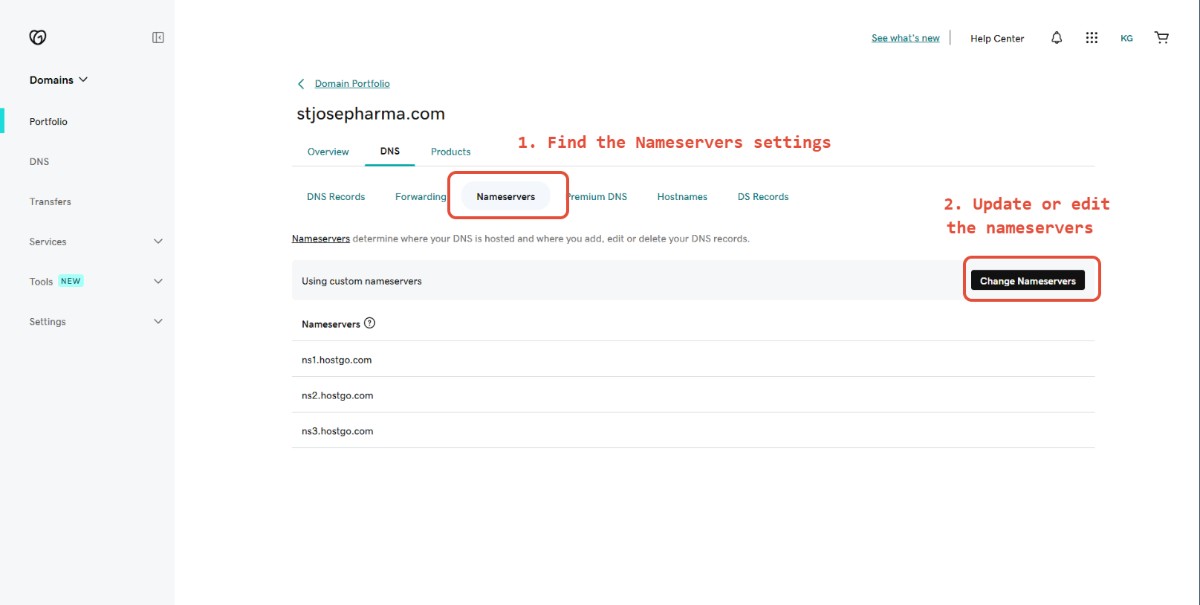
2. Update them to Solutio's nameservers
Roadblocks:
Conclusion
Once the Nameservers have been successfully updated you will not need to complete any more steps. Occasionally Auth codes expire or we may need to request additional information. Jeremy will reach out if we need anything else!
We will initiate the transfer of your domains after your new website has launched.
If you need to transfer your domain out of our registrar or make DNS changes please contact This email address is being protected from spambots. You need JavaScript enabled to view it..
FAQ
Need further help?
This email address is being protected from spambots. You need JavaScript enabled to view it.