To change the width of a dropdown menu:
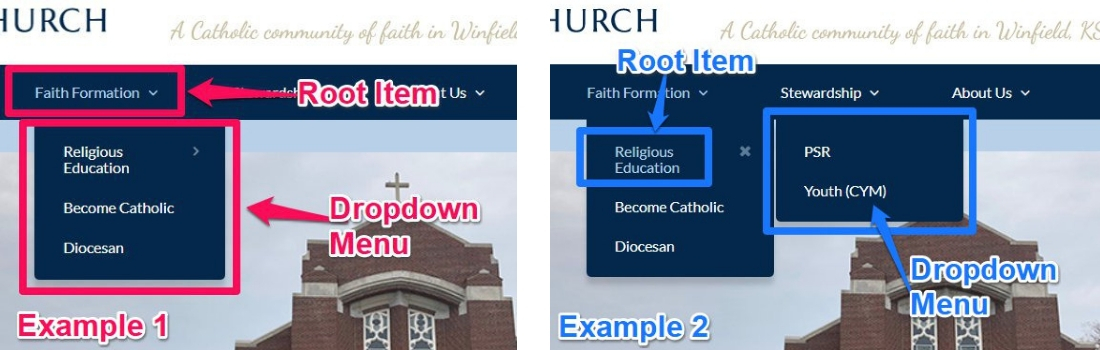
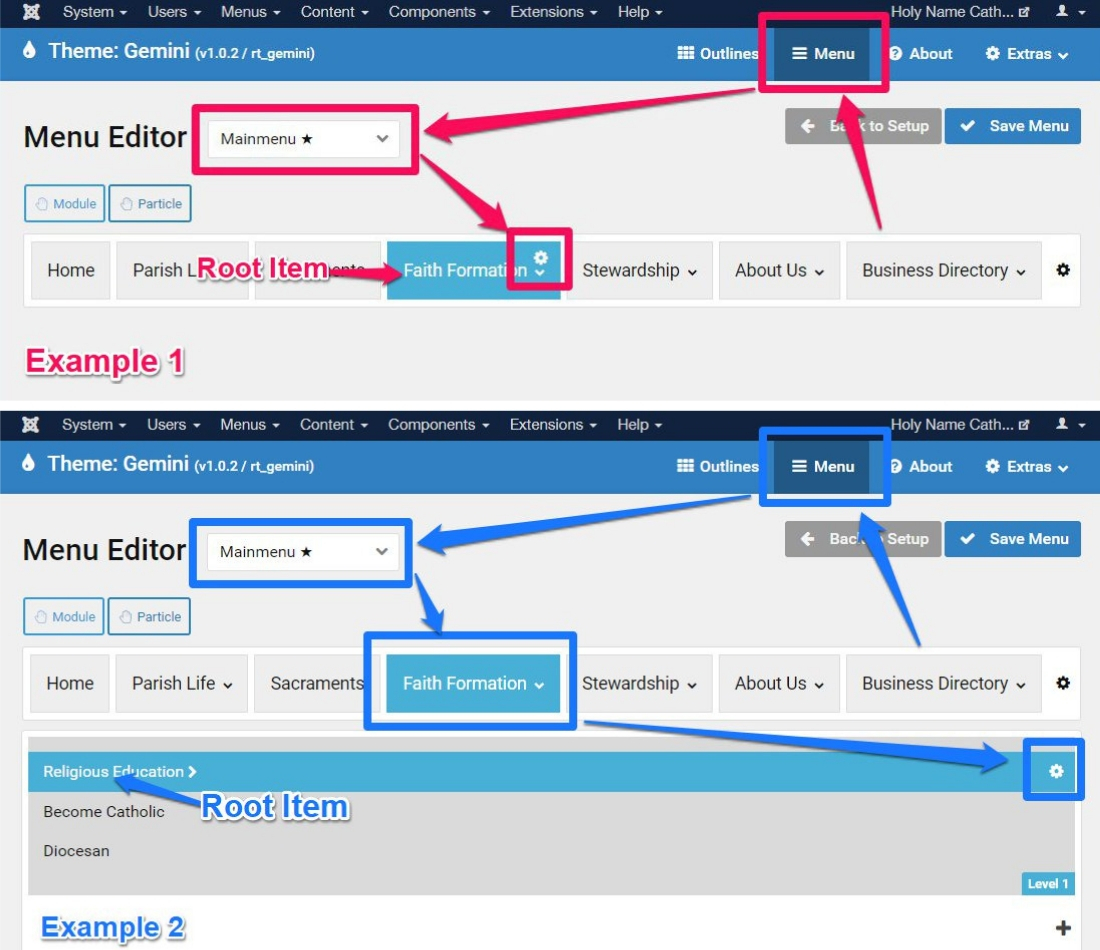
1. Identify the Root Menu item of the Dropdown menu:
2. Login to the Administrator.
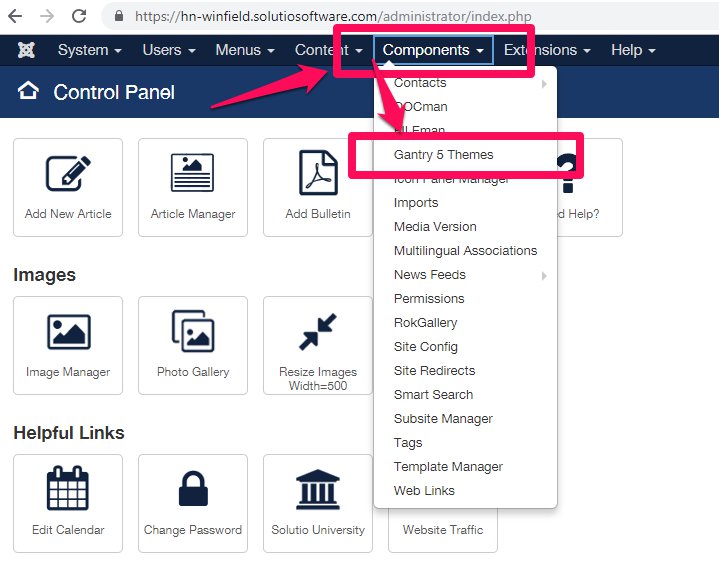
3. Select 'Components', then 'Gantry 5 Themes':
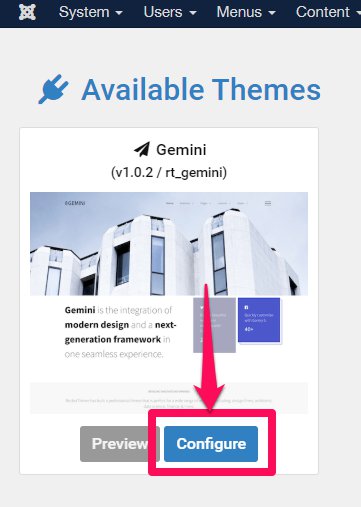
4. Click 'Configure' (If there are two, ask us about which template you have at This email address is being protected from spambots. You need JavaScript enabled to view it.):
5. Select 'Menu' and be sure the 'Main Menu' is selected.
6. Click the gear icon for the Root Item identified earlier (step 1):
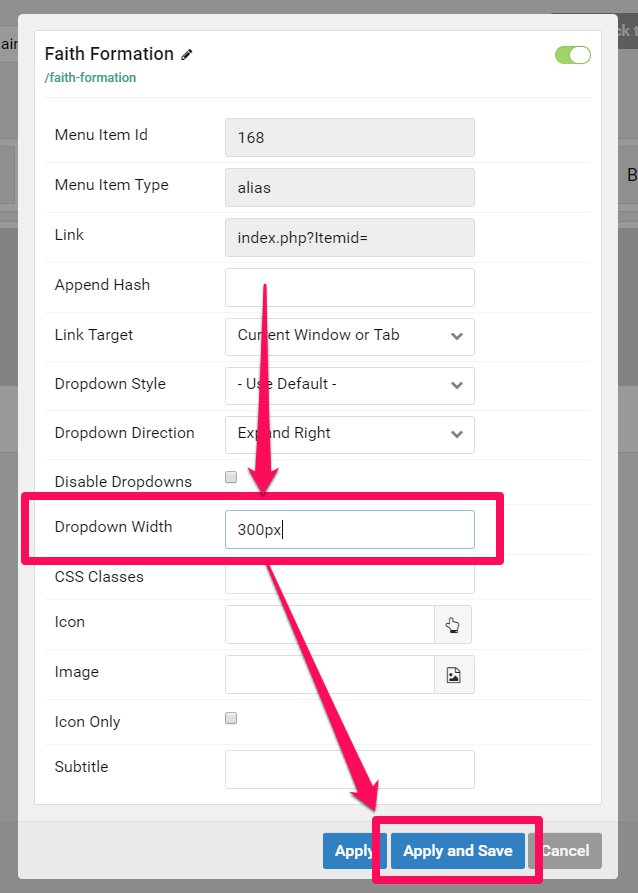
7. Enter a pixel quantity in the Dropdown Width field.
8. Click 'Apply and Save', then refresh the webpage to check your work.